Discover the
Modern
WordPress with WordVell

As per McKinsey, when website visitors get personalized product recommendations:
That’s revenue most WooCommerce stores quietly lose every day.
The actual problem is that the Small and mid-size store owners don’t have the resources to built a system like amazon, eBay and other large ecommerce website to show personalized products to each visitor.
To solve this problem in WordPress, we discover 4 plugins to show personalized AI Product Recommendations.
In this practical guide, we reveal these best 4 plugins for AI product recommendations in WordPress that automatically analyze customer behavior, personalize product suggestions, increase engagement, and boost conversions for WooCommerce stores.
You’ll learn what each plugin does, its features, why to choose it, how much it costs, and how to set it up so you can start showing smarter, data-driven product recommendations using these plugins without writing a single line of code.
AI watches what a visitor does, what they click, view, search, and ignore, and predicts what they’re most likely to buy next.
Then, it shows those products automatically. These are called Personlized AI-Powered Product Recommendations
Where do these recommendations appear?
Why does this work?
Most shoppers are overwhelmed with choices.
AI reduces friction by putting the right product in front of its potential customers fast.
Every suggestion feels personal, not random.
That means less scrolling, less guessing… and more Add to Cart clicks.
AI product recommendations aren’t a “nice-to-have” anymore.
They’re one of the few eCommerce upgrades that directly move the revenue needle.
Here’s what the data says:
| Goal | Business Impact | Verified Improvement |
|---|---|---|
| Higher conversions | More visitors buy | +26% uplift (McKinsey) |
| Increased AOV | Smart upsell bundles | +10–30% more AOV |
| Better retention | Feels personal | +15–20% repeat sales |
| Lower bounce rate | Shoppers find products faster | –18% bounce rate |
| Less manual effort | Saving valuable time | 8+ hours/week saved |
Why does this matter?
Because attention spans are shorter.
Choices are infinite.
Shoppers won’t dig to find the perfect product, so AI brings it to them.
When stores personalize even one recommendation block, most see noticeable improvement within days.
Personalization isn’t the future of e-commerce.
It’s the present. And every store not using it is losing revenue they could already be earning.
AI doesn’t guess.
It observes what shoppers do and what they almost do.
It builds profiles from behaviors like:
Then the magic happens.
A real-time engine compares each visitor to thousands of look-alike shoppers.
It predicts what they’re most likely to buy next.
And it places those products where conversion is highest, such as on product and category pages, and even in emails.
No coding.
No creation of rules for every product.
No spending hours rearranging your catalog.
The more shoppers interact with your store, the smarter the recommendations become.
Accuracy compounds over time, which means that every new visitor gets a better experience than the one before.
AI learns quietly in the background…
And your revenue learns to grow.
Here are the plugins that passed our tests for accuracy, ease of setup, WooCommerce compatibility, UI/UX quality, and site performance.
These tools bring personalization to any WordPress store without writing a single line of code.

Some plugins are powerful but complicated.
Others are easy but limited.
SafireTech sits perfectly in the middle.
It’s built to deliver Amazon-style AI recommendations to WooCommerce stores without time-consuming setup or complex rule-building.
If you hate configuring endless settings, this plugin feels like a cheat code.
(Check out more plans on their official website)
Step 1: Install from WordPress.org
Search “AI Product Recommendations by SafireTech” → Install → Activate
Step 2: Enable Add-to-Cart Powered Recommendations
This is where conversion gains explode.
Step 3: Activate AI on key pages
Tip: Start with cart + product pages for the fastest ROI.
Step 4: Pick Automation Mode
Step 5: A/B Test Placements
Use built-in analytics → keep only the winning layouts.
Step 6: Review AI Logs Weekly
Spot products that drive the most clicks and promote them more.
Any WooCommerce store owner who wants quick AI results without a steep learning curve or technical setup.

If your store has a massive product catalog, a normal WordPress search simply can’t keep up.
That’s where WPSolr dominates.
It doesn’t just recommend products…
It upgrades search into a powerful recommendation engine.
Visitors find what they want faster, even if they use typos, broad terms, or vague keywords.
This means one thing:
Better search = better product discovery = more revenue
Besides these advanced search features. It provides advanced AI product recommendations.
When shoppers find the right product instantly, bounce rate drops and conversions climb.
(Get more details on various plans here on their official website)
Step 1: Guided Backend Setup
Connect to Solr or ElasticSearch via the onboarding wizard.
(Zero backend knowledge required, just follow the steps)
Step 2: Turn On Personalized Search Results
Results are reordered based on shopper intent and past behavior.
Step 3: Activate Recommendation Engine
Suggestions appear where discovery drives revenue.
Step 4: Pick Logic Style
You can mix logic types depending on the category.
Step 5: Choose Placements
Step 6: Track Performance
Review analytics like:
Stores where search is a key part of the buying journey, like fashion, electronics, automotive, supplements, and home improvement.
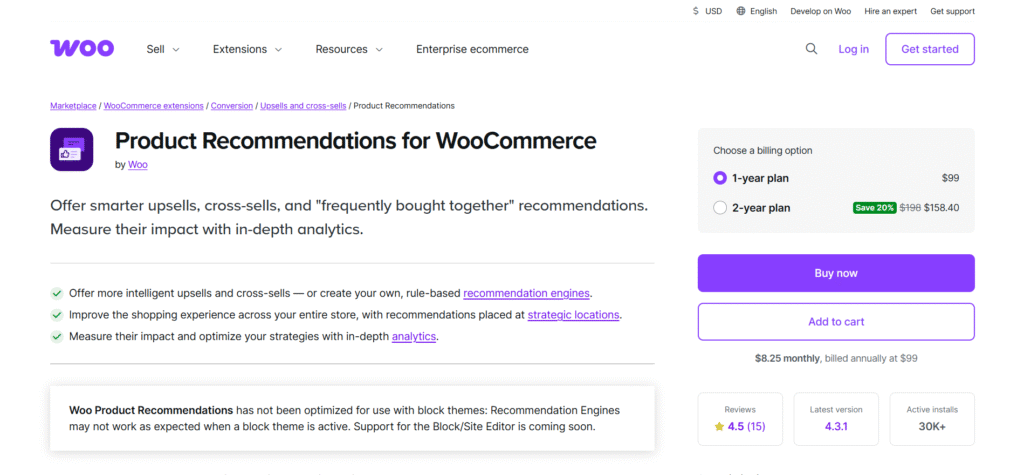
If you want full reliability and tight WooCommerce integration, this is the official gold-standard extension.
It combines smart automation with rule-based control. It is ideal when you want AI suggestions but still prefer to steer the strategy.
Paid: Starts from $99/year
Step 1: Install the extension
Go to WooCommerce.com → Purchase → Download → Upload in WordPress → Activate
Step 2: Navigate to Marketing → Recommendations
This is your personalization command center.
Step 3: Select Your Goal
Step 4: Set Smart Rule Logic
Example:
Show same-category products priced 10–20% higher → AOV boost
Step 5: Choose Placement
Step 6: Turn on Analytics
Track CTR, conversion rate, and revenue impact inside WooCommerce.
Growing WooCommerce stores that need scalability, accuracy, and enterprise-level reliability without switching platforms.

Not every store needs advanced machine learning.
Some just need smarter related products without slowing down the website or paying for expensive cloud AI plans.
That’s exactly what Smart Related Products by SharkThemes delivers.
It’s lightweight.
It’s budget-friendly.
And it makes default WooCommerce recommendations way more accurate instantly.
This plugin uses local matching rules (no external AI servers), which means:
Perfect for newer stores or shops with smaller product catalogs.
(Explore more pricing packages and details on their website)
This makes it a strong starting point for stores trying AI-style personalization without the upfront cost.
Step 1: Install & Activate
Search “Smart Related Products by SharkThemes” → Install → Activate
Step 2: Enable Smart Matching
Turn on category + tag + attribute logic
Step 3: Choose Placements
Step 4: Fine-Tune Your Strategy
Pick what matters most:
Step 5: Manual Overrides
Highlight best-selling or high-margin SKUs for maximum revenue impact.
Small-to-medium WooCommerce stores want smarter, faster recommendations without paying for heavy AI systems.
Not every store needs the same level of personalization.
So here are a few more WordPress-friendly tools that can boost AI-powered recommendations depending on your setup:
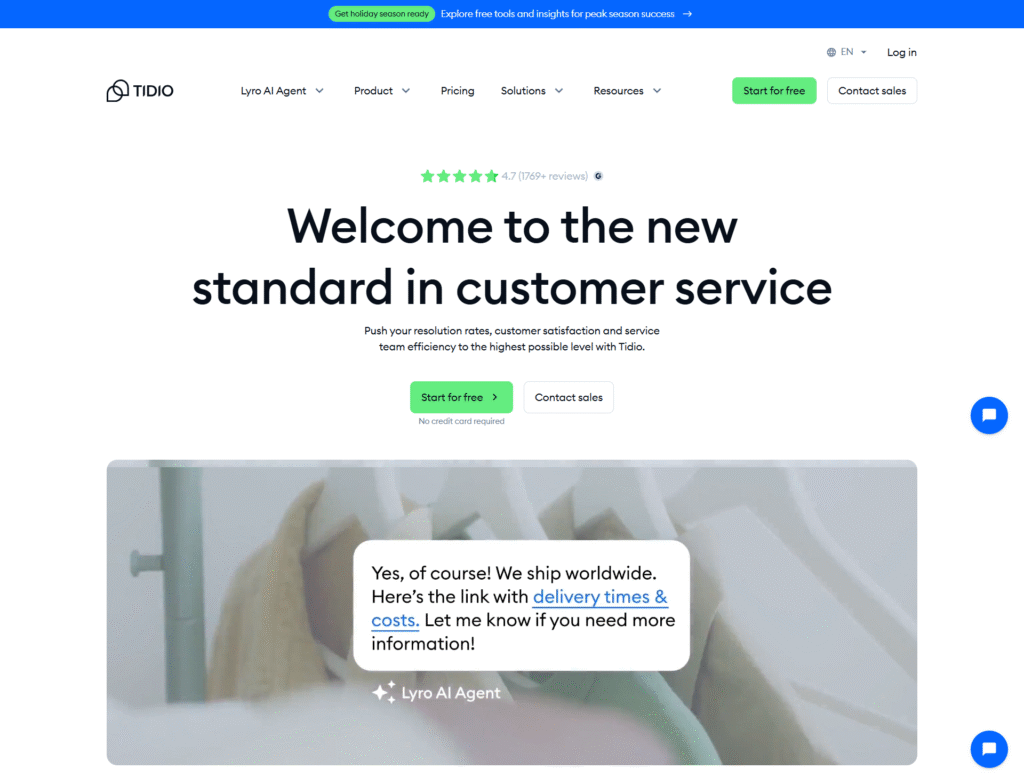
It is ideal if you want AI chat to assist users in real time.
It learns visitor intent and suggests the right products directly inside chat conversations.
Great for impulse conversions.
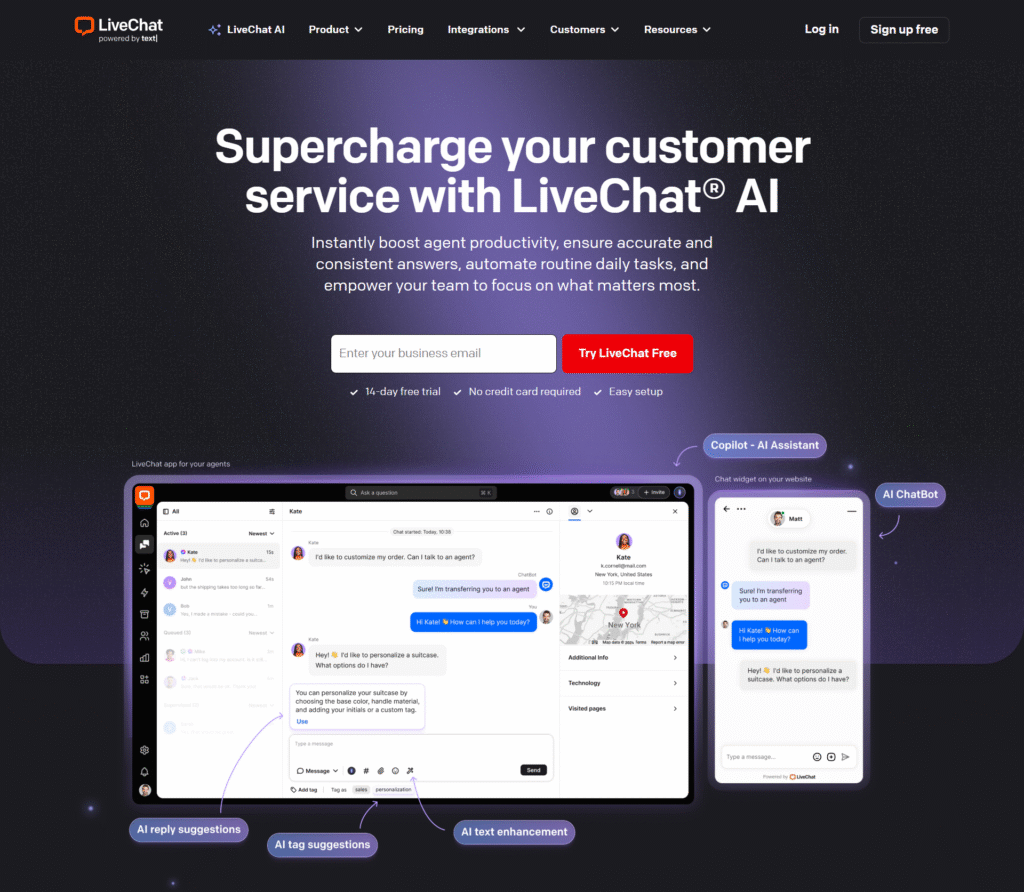
It uses a similar approach to Tidio, but it is more focused on automated upsells and lead capture.
Works best if your support team already uses LiveChat and you want to turn help requests into purchases.
It provides customizable product blocks and widgets where AI-based recommendations can be strategically placed on product, cart, and checkout pages. Ideal for Elementor users.

It is designed for strong upsell/cross-sell logic like “Bought together”, “Similar items”, and “Frequently viewed”.
A smart option for mid-sized catalogs looking for automation without heavy setup.
Start small.
Begin with one or two high-impact placements: product pages and cart pages.
These are where shoppers decide. So your recommendations must be relevant and clear.
Don’t overwhelm customers.
Show 4–6 products maximum per placement.
Too many options can cause decision paralysis, which lowers conversions.
Track performance like a data-driven marketer:
Use analytics to prune low-performing rules and boost what works.
Personalization isn’t “set and forget”. It must evolve.
Leverage seasonal intent shifts.
Customers shop differently on Christmas, Ramadan, Eid, and Black Friday. So, personalize accordingly.
AI doesn’t just boost conversions.
It unlocks hidden revenue.
It recommends products that store owners don’t have time to push manually.
No more guesswork.
Just smarter personalization that works 24/7.
If you’re a beginner and want the fastest setup + strongest results, start with SafireTech AI.
As your store grows, expand with smart engines like WPSolr and others.
The future of WooCommerce is AI-personalized shopping.
The sooner you adapt, the faster your revenue scales.
And finally…
Subscribe to our newsletter to get more WordPress guides, AI automation strategies, tutorials, developer resources, learning materials, and the latest WordPress news straight to your inbox.
No. Most plugins handle everything automatically. You just enable recommendations and choose placements.
Not if you choose plugins that use cloud AI (processing happens outside your server). Lightweight options like Smart Related Products also run efficiently on small hosting plans.
Absolutely. Even with 50–100 products, AI drives more views for under-discovered items and increases conversions, especially for first-time visitors.
Some free plugins exist. Paid AI solutions usually start from $9–$49/month, depending on catalog size and traffic.
Start with one. Add a second only if it targets a different area (e.g., search optimization + cart upsells) and does not create overlap. Your site might get slow due to many plugins.