Discover the
Modern
WordPress with WordVell
Should you build your next website on Webflow or is WordPress still the smarter long-term choice?
If you’re picking based on trends instead of requirements, you’ll feel the pain later because it might waste your money and time.
That’s why we have created an in-depth Webflow vs WordPress comparison guide to help you make an easy decision as per your requirements.
In this comparison guide, we compare Webflow and WordPress across 18 critical factors, including:
By the end, you’ll clearly know which platform fits your goals and requirements, whether you’re a content creator, business owner, agency, or developer building for clients.
Before we compare features, let’s meet the two heavyweights:
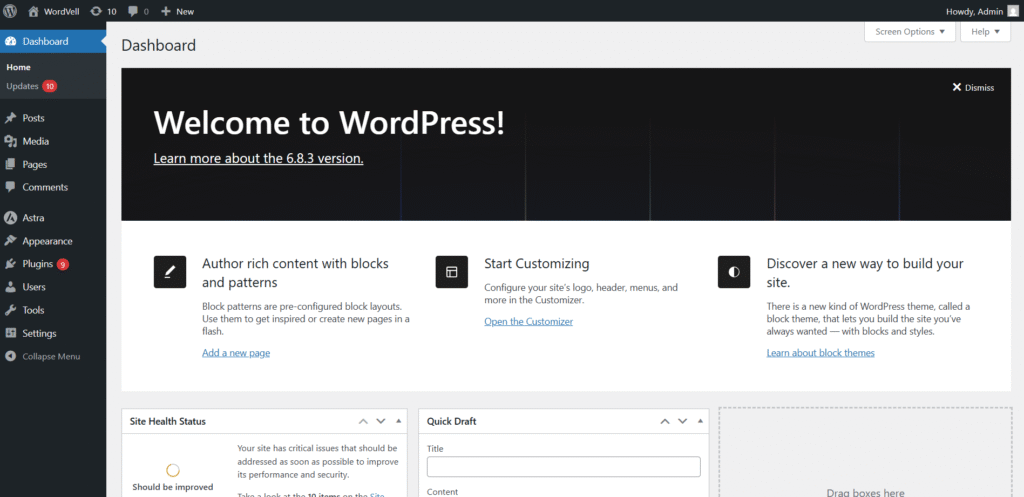
WordPress is the undisputed king of content management systems. It powers over 43% of all websites on the internet, from personal blogs to enterprise platforms.
It’s open-source, meaning anyone can use, customize, and extend it freely.
You can either go with self-hosted WordPress.org, where you control everything, or hosted WordPress.com, where hosting and maintenance are bundled in.
Its strength lies in flexibility. With thousands of plugins and themes, you can build anything, such as a blog, an e-commerce store, a learning platform, or a corporate site.
It’s a favorite for bloggers, agencies, developers, eCommerce stores, and even large enterprises that want full control over their digital ecosystem.
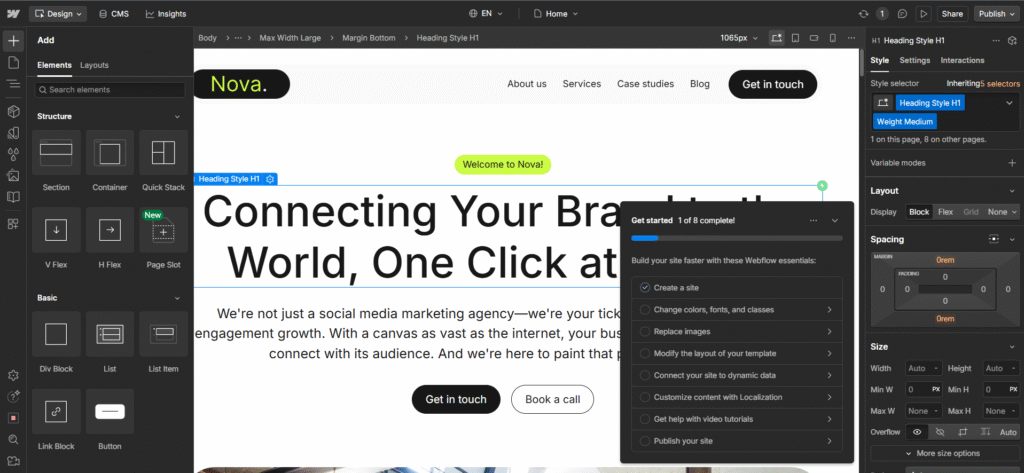
Webflow takes a different route.
It’s an all-in-one SaaS platform built for a visual-first web design experience.
No plugins. No separate hosting.
Everything from CMS to security to performance is built in.
Instead of writing code, you design visually, while Webflow generates clean HTML, CSS, and JavaScript behind the scenes.
It’s built for designers, marketing teams, startups, and brands that want to launch beautiful, responsive websites fast without relying too much on developers.
Here’s the truth: these two platforms may look different on the surface, but they’re built to solve many of the same problems.
Here’s what both platforms bring to the table:
| Category | WordPress | Webflow |
| SEO | Plugins, deep customization | Native controls |
| Design | Themes, custom code, Visual Page builders | Visual-first |
| Cost | Hosting + Premium Themes & Plugins (Optional) | Subscription |
| Performance | Depends on the stack | Optimized hosting |
| eCommerce | WooCommerce | Native, limited |
| AI | External integrations | Native + integrations |
| Localization | Plugins | Built-in |
| Security | Basic is Included. Advance is Manual or plugin-based | Included |
| Community | Open-source, huge | Smaller, centralized |
| Development | Full flexibility | Low-code/no-code focus |
In Webflow, SEO is baked in.
Clean code, structured data, fast pages.
You can tweak titles, meta, redirects, and schema natively without extra plugins needed.
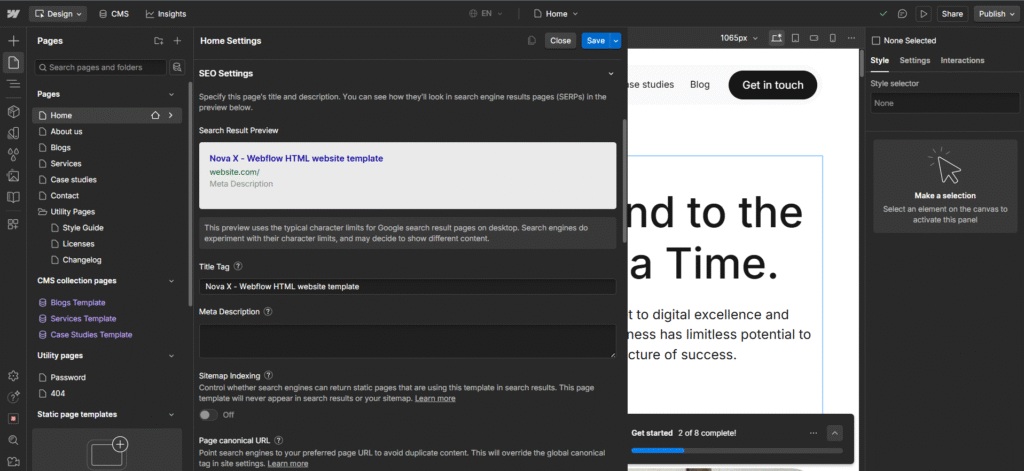
This is Ideal for you if you want simplicity.
Whereas in WordPress, there are many best SEO plugins like Yoast SEO and Rank Math for you.
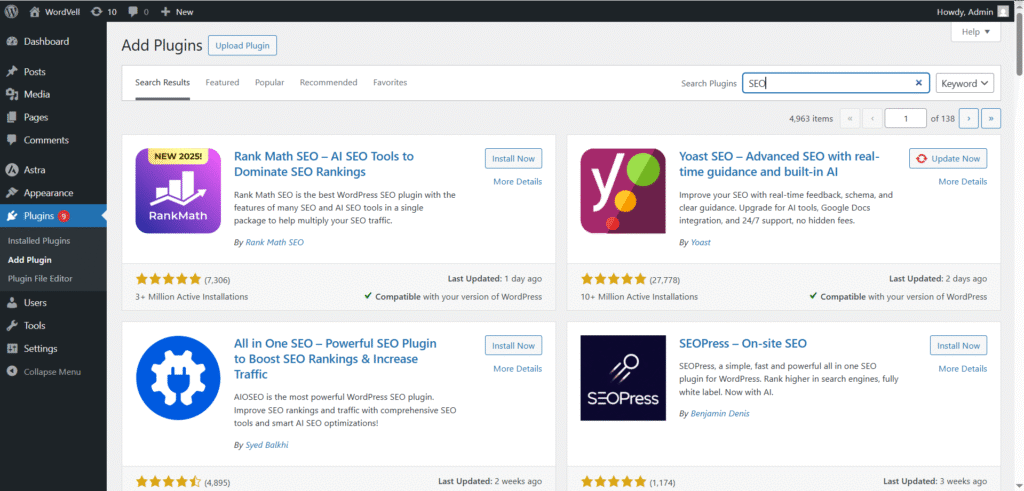
They give you total control over every SEO detail from schema to canonical URLs and much more.
But more setup and maintenance are needed.
Winner: WordPress (more depth + flexibility)
Here’s a stat: 53% of mobile users will abandon a page if it takes longer than 3 seconds to load.
So, Speed is survival.
Webflow hosts your site on its fast hosting with optimized CDN, which is fast, secure, and requires no tuning with your website.
Whereas WordPress gives you raw power. But performance depends on your hosting, caching, and how well you build your site.
If you love tweaking settings for max speed, it rewards you.
Winner: Webflow for effortless speed. But WordPress will override it with premium hosting.
Webflow has native eCommerce functionality with easy-to-set-up, simple checkout, and built-in payment support.
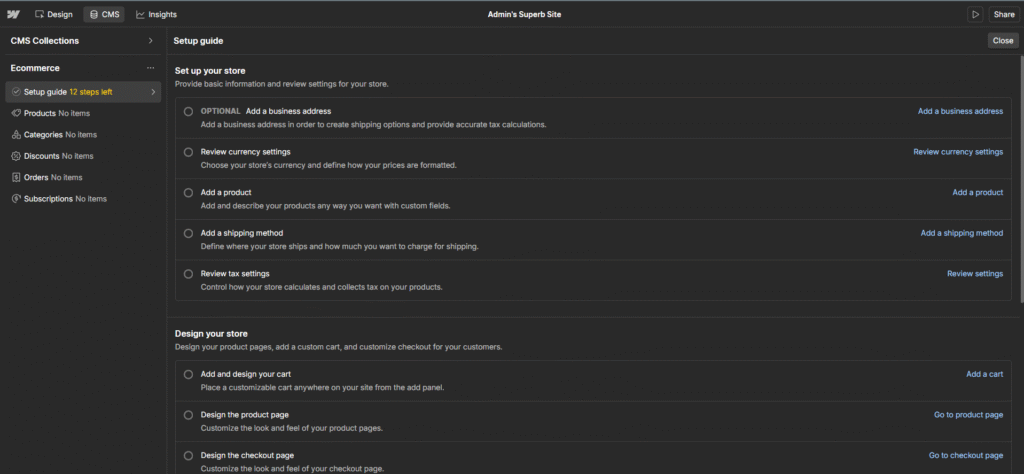
But limited gateways and complex scaling. Perfect if you want to launch fast without dev headaches.
However, WordPress with WooCommerce is a monster.
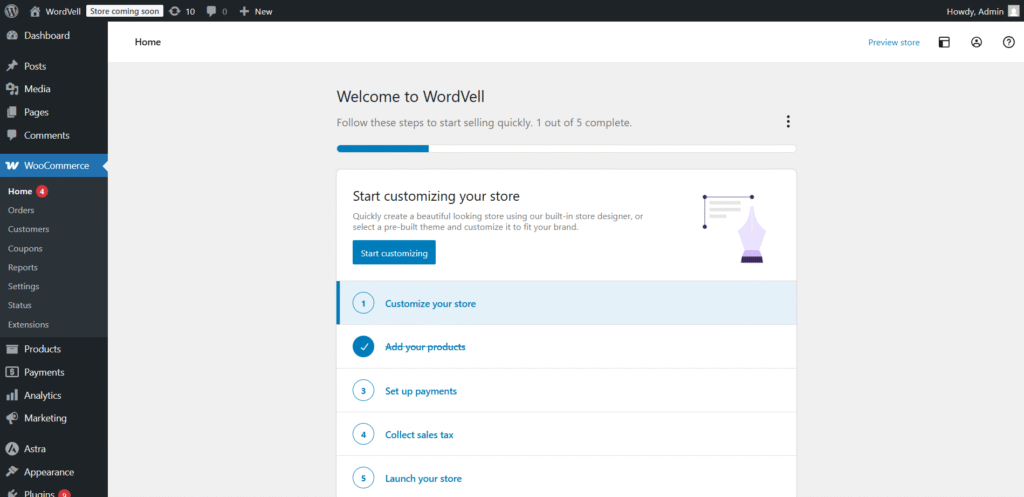
Highly flexible, fully customizable, endless integrations.
You control everything like checkout flow, extensions, gateways, and scaling. But setup takes work.
Winner: WordPress (flexibility wins)
When traffic explodes, Webflow’s infrastructure handles it like a champ.
It allows smooth scaling with infrastructure handled by them. No server headaches.
But advanced scaling options are capped by price.
In comparison, WordPress has huge scaling ability, but with the right hosting and architecture.
With WordPress, you can develop enterprise-level platforms and sites as well. But it depends on you and your developer on how much you optimized your site to handle large traffic.
Winner: WordPress (bigger ceiling)
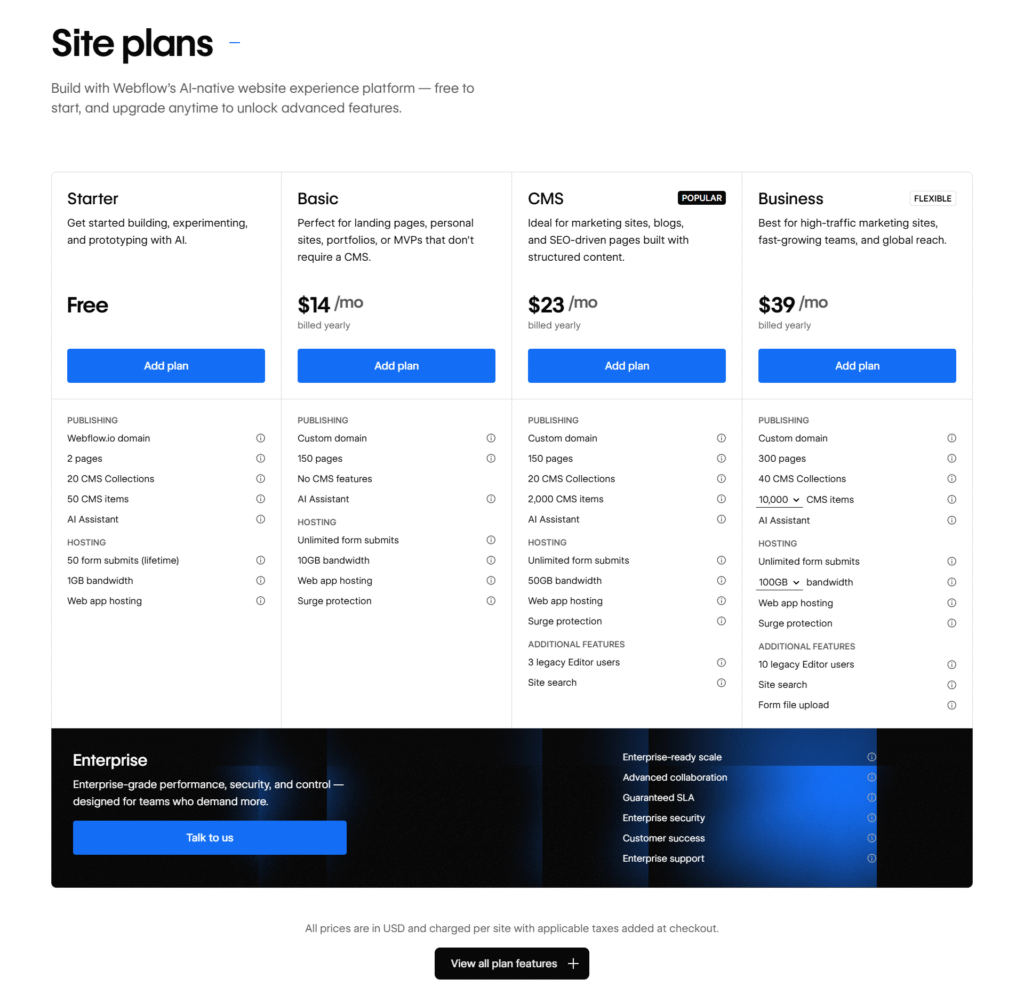
Let’s talk about pricing because it heavily depends on your resources.
With Webflow, pricing is crystal clear.
You pick a subscription plan, and that’s it. Hosting, security, SSL, and updates are all included in it.
There are no surprise costs for you. This is gold if you want predictable bills.
In contrast, WordPress itself is entirely free. But to get started, you need a hosting service, which you can choose as per your goals and budget.
WordPress has thousands of free themes, which help you design your website, and also brings more than 60,000 free plugins, which you can use to add various desired functionalities to your website.
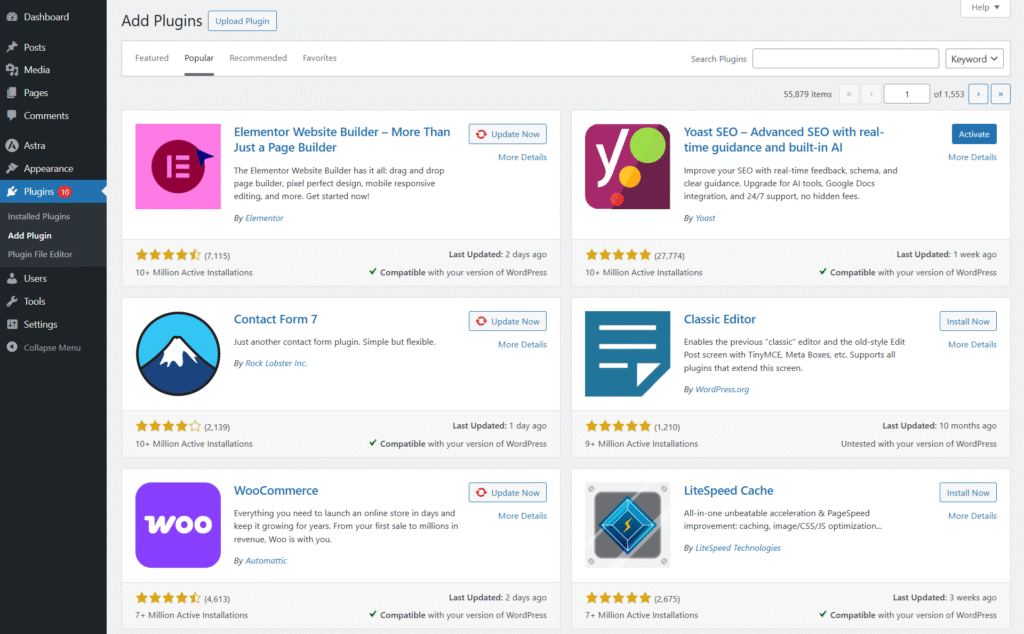
However, the cost will be incurred if you opt for premium themes and plugins. Otherwise, there is just the hosting cost.
With WordPress, you build your own stack, which means you control what you spend and where.
Want a basic free setup? You can. Want a powerhouse? You can scale up at your own pace.
Winner: WordPress is more flexible, with scalable pricing that grows with you.
If you’re a designer, Webflow feels like magic.
You can design your website through a visual canvas. Every pixel is in your control without code. You will also get multiple built-in templates to get started.
Whereas WordPress is not short in this category.
It provides you with thousands of themes that can be integrated with many visual page builders like Elementor, Divi, Bricks, SeedProd, and many others.
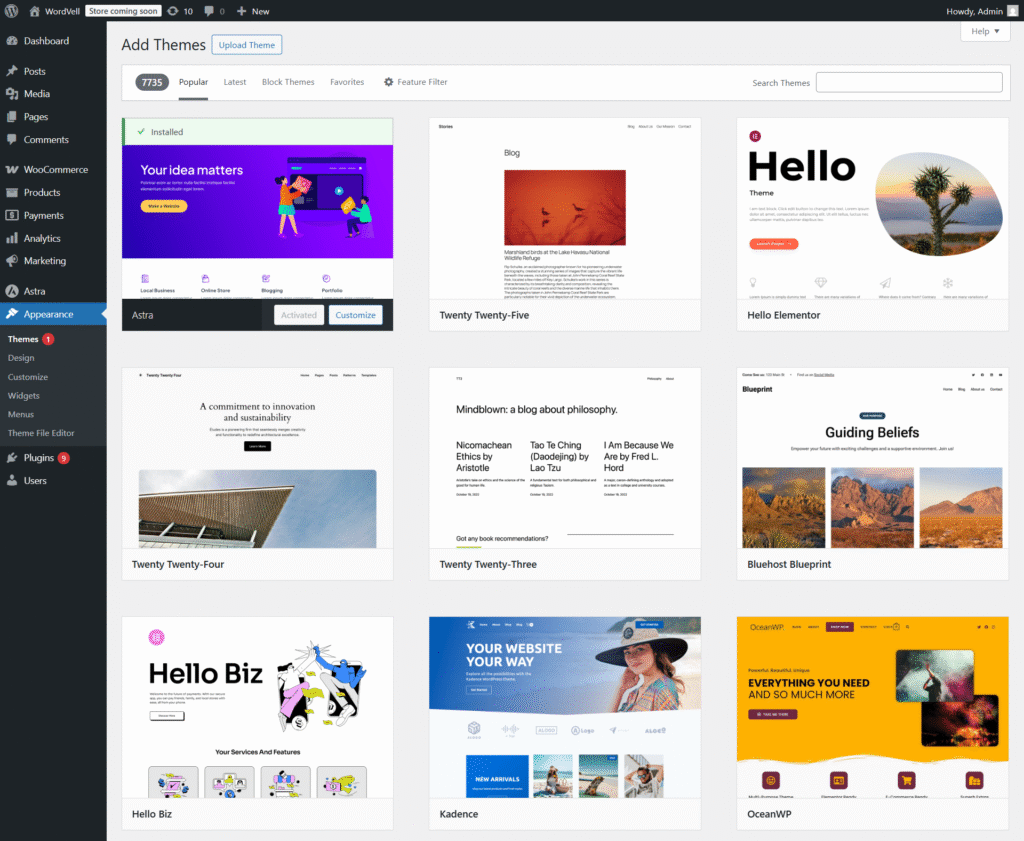
These themes and page builders also come up with multiple ready-to-use templates that can be used with one click.
If you love freedom. Then WordPress is highly flexible and limitless in this regard.
Winner: Both are amazing in this category with their visual builders.
Webflow has a huge number of Sleek, modern templates, but comparatively has a smaller marketplace than WordPress.
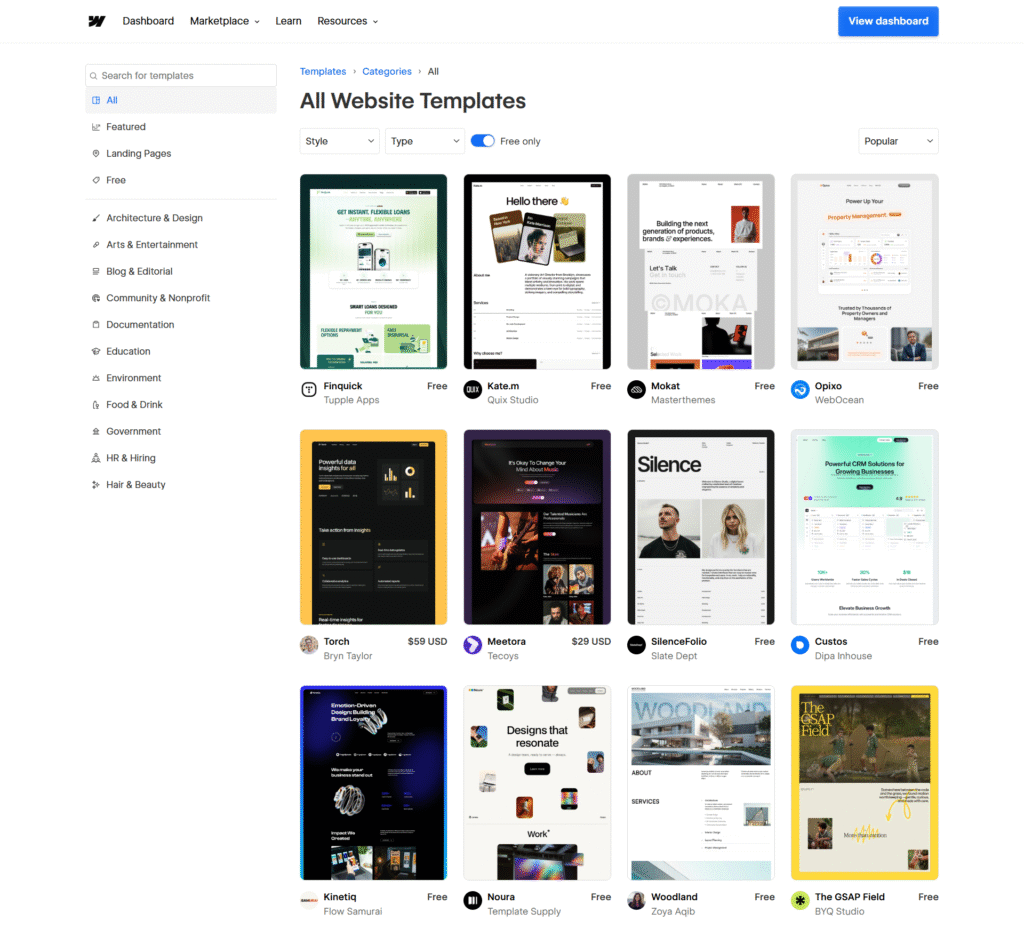
However, WordPress has a giant ecosystem with millions of templates offered by themes, page builders, and many expert designers as well.
Here are some templates offered by Divi Theme:

You’ll find tons of templates here for every niche, from free to premium.
Winner: WordPress (volume & variety)
Webflow is built for no-code or low-code workflows. But you can get various Integrations.
You can develop your website swiftly with it, but it is not deep dev territory.
Comparatively, WordPress is a Complete developer ecosystem.
You can add HTML, CSS, and JavaScript code to adjust the design as per your needs, or you can also develop and use your own theme.
You can also customize WordPress core functionality with your custom-built plugins.
In this regard, WordPress gives you open ground.
Winner: WordPress (dev powerhouse)
Need to publish hundreds of posts?
WordPress allows you to manage massive content libraries.
You will get multiple features like Bulk edits, Bulk publishing, post scheduling, custom fields, categories, and much more that you desire.
In contrast, Webflow CMS is easy and structured.
It is great for small to mid-sized content websites. It is smooth but hits caps if you go massive.
Winner: WordPress (scales better)
Webflow shines here.
It allowed real-time editing, team roles, and clean workflows.
It is perfect for teams.
However, WordPress’s Multi-user system is also robust but less fluid than Webflow.
WordPress also allows you to create multiple users with different roles and permissions.
Winner: Webflow (smoother UX and Real-time)
When it comes to tracking what really matters, WordPress hands the control to you.
You can integrate Google Analytics and install specialized analytics plugins to set up your own custom analytics dashboard.
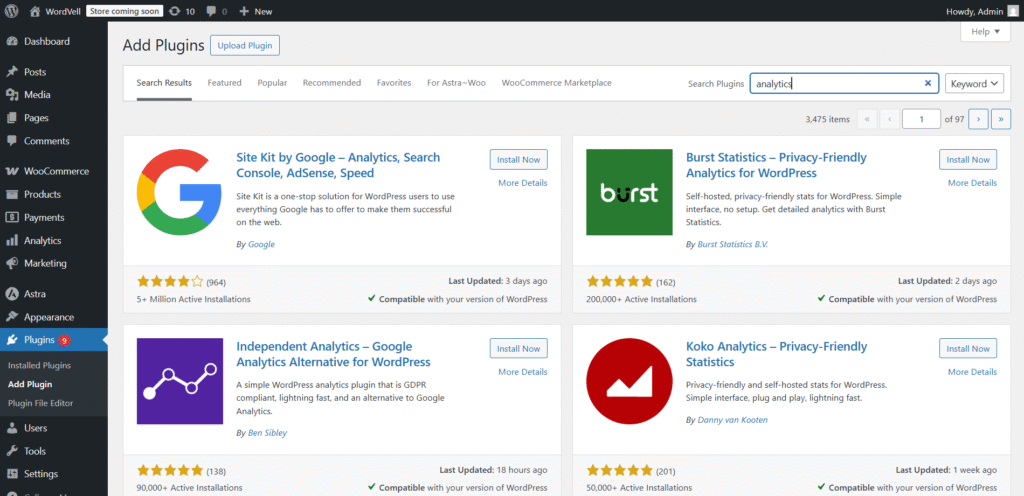
That means deeper insights, tailored exactly the way you want them.
Webflow, on the other hand, gives you built-in analytics out of the box and also quick integrations for the rest.
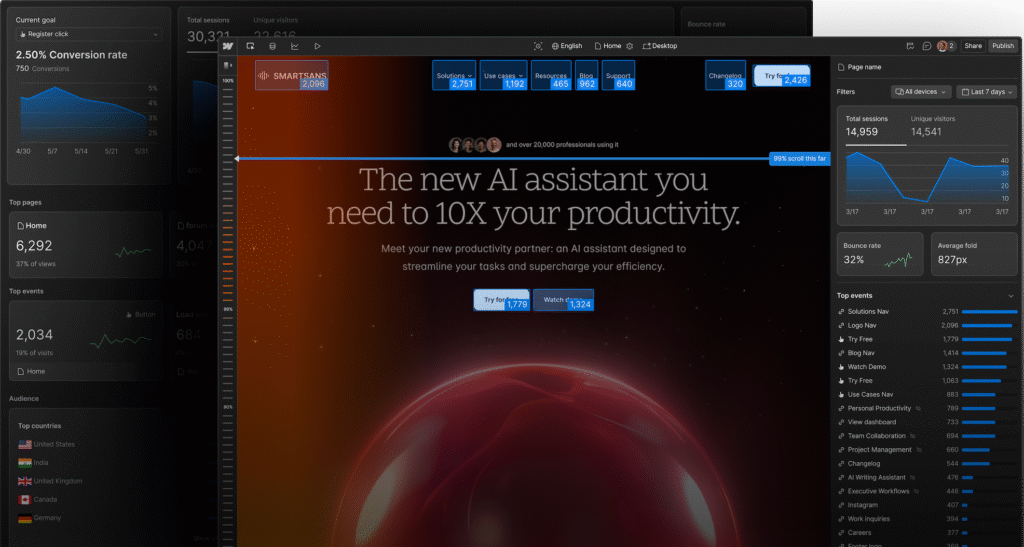
No heavy setup, just clean traffic data fast.
Winner: WordPress has unmatched flexibility for data-hungry marketers and growth teams.
With WordPress, AI is a playground.
You’ve got hundreds of AI plugins from SEO boosters to content generators and chatbots.
The trade-off? You have to stitch it together yourself.
Webflow takes a different route.
It bakes AI right into the platform, from content assistant to smart design help.
If you want to move fast and don’t want to mess with setup, this feels smooth like butter.
Winner: Webflow wins in speed and simplicity. But WordPress wins in more options and a wide spectrum.
WordPress gives you total freedom to choose where and how your site lives.
Shared hosting, managed, VPS, custom server stacks, it’s all on you.
But that also means you’re responsible for many things like speed, uptime, and security.
Webflow offers managed hosting with lightning-fast CDN, top-tier uptime, and built-in security.
No server headaches. Just focus on your site, and Webflow handles the tech. But it has a lower scaling ceiling than WordPress.
Winner: Webflow if you want zero server stress. But WordPress gives more control and scaling ability.
With WordPress, security is in your hands.
You can install plugins, set up firewalls, schedule backups, and stay alert.
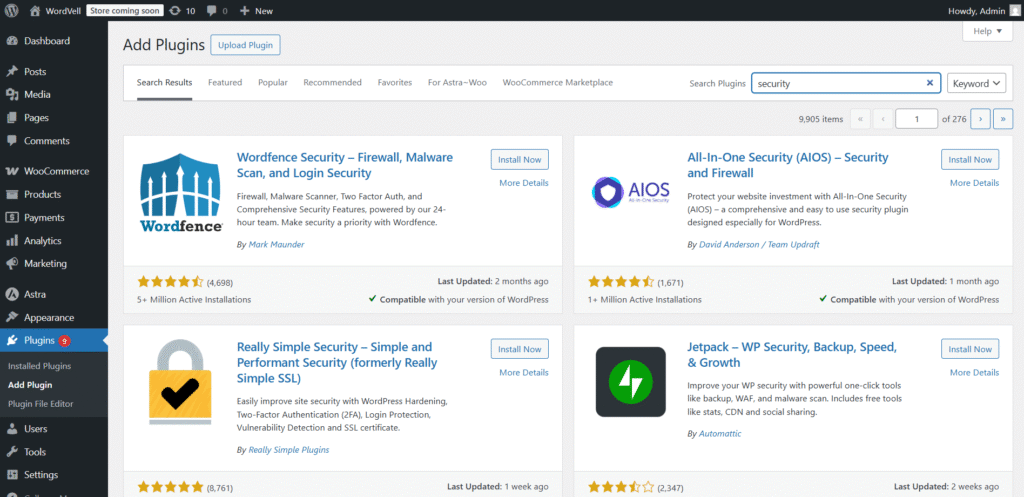
The good news? Total and advanced control. The bad news? It’s a custom setup.
Webflow removes that burden.
You get SSL, automatic backups, and security patches by default.
Winner: WordPress wins in advance control, whereas Webflow wins in easy setup.
WordPress is like a bustling metropolitan city.
Millions of users. Decades of tutorials. An answer to literally every problem you’ll ever face.
And it is also easy to start as a beginner.
Webflow has a smaller, cleaner ecosystem with structured docs, solid support, and a focused community.
You won’t find everything, but what’s there is top-notch.
Winner: WordPress due to the sheer size and depth of its community.
WordPress is plugin heaven.
From payment gateways to CRMs and APIs, if you can dream it, you can most probably build it.
You can extend your site into anything with more than 60,000 plugins.
Webflow keeps things simple and sleek with mostly no-code integrations and built-in connectors.
It is Fast and clean, but not nearly as deep.
Winner: WordPress due to unmatched power and versatility.
If you want to launch today, Webflow is your friend.
Pick a template, tweak the visuals, and hit publish.
You can go from idea to live site in hours with no code required.
WordPress takes more steps, such as hosting, installation, theme setup, and then customizations.
But that setup gives you more freedom down the line.
Winner: Webflow if you want a quick launch. WordPress, if you want more control and advanced features.
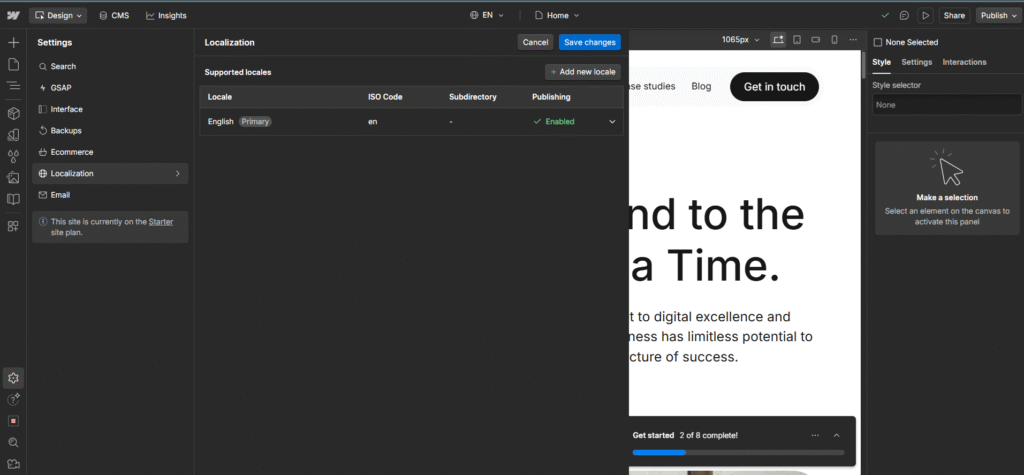
Webflow makes localization feel smooth.
Built-in translation tools and localization settings let you serve global audiences without plugin chaos.
But WordPress fulfills this task with its powerhouse translation plugins like Polylang and TranslatePress.
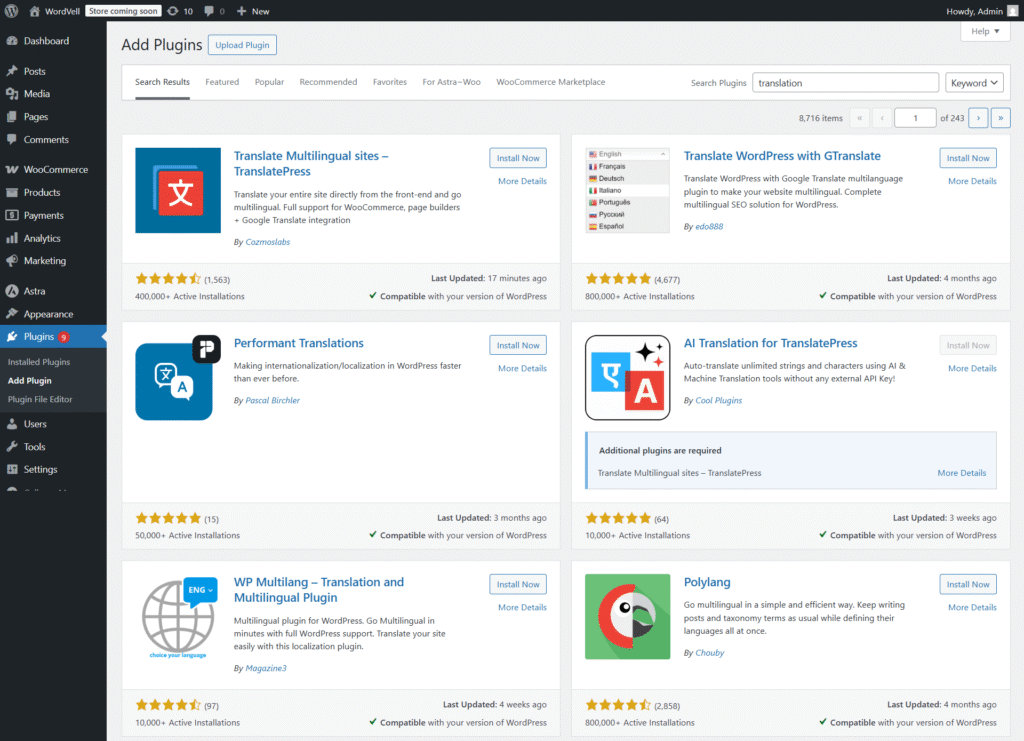
They’re incredibly flexible, but you’ll need extra setup and management.
Winner: Webflow due to its simplicity, elegance, and fast for multilingual sites. But WordPress for more control and flexibility.
If your vision is big, bold, and content-heavy, WordPress is your best friend.
It allows you to develop massive blogs, news sites, and enterprise platforms where you want full control over everything, like hosting, SEO, plugins, design, and beyond.
You get to own your site fully.
No vendor lock-in. No waiting for feature rollouts.
If your team includes developers or you love tinkering, then the open-source power of WordPress lets you build anything your imagination allows.
It’s also great when budgets are tight.
With self-hosting, you can scale costs at your own pace.
WordPress is also powerful for designing modern websites.
It offers thousands of themes that offer modern design templates for your website.
And with its legendary plugin ecosystem, with more than 60,000 free plugins for complex SEO, analytics, forms, and much more are all in your hands without any cost.
WordPress wins for teams and projects that want power, freedom, and scalability on their terms.
If you want to move fast without drowning in tech, then Webflow is ideal.
It shines when your goal is to launch quickly, not spend weeks fiddling with servers, plugins, or endless updates.
Designers love it because everything is visual-first with no code required to craft something stunning.
Hosting, security, backups? Already handled. You just focus on building your brand.
For creative teams, startups, and marketers, it’s a one-stop shop to design, publish, and scale without hiring a dev team.
It’s like having a designer’s playground and a developer’s backbone in one.
Webflow wins when speed, simplicity, and design control matter more than deep customization.
Here’s where theory meets the real world.
Let’s face it, no one picks a platform just because of “features.”
They pick it because it fits how they work.
For Example:
In short: it’s not about “better.” It’s about what’s better for you.
Here’s the truth: both Webflow and WordPress are powerful.
The right choice depends less on “which is better” and more on who you are and what you want to build.
Quick Reality Check:
If your priority is speed, simplicity, and design, Webflow is a strong bet.
If your priority is freedom, extensibility, and growth, WordPress is your powerhouse.
📩 Want more expert-level comparisons, WordPress guides, tutorials, news, and developer resources?
Subscribe to our newsletter to stay ahead of the curve.
Q: What are the disadvantages of Webflow?
A: Webflow has limited plugin options, higher pricing for advanced features, is not strong enough for enterprise platforms, and also has less flexibility than WordPress for large, complex sites.
Q: Should I switch from WordPress to Webflow?
A: Switch if you prioritize visual design (although available in WordPress), fast setup, and low maintenance, and you have a small website. Stick with WordPress if you need advanced customization or own a content-heavy site.
Q: Which is easier, Webflow or WordPress?
A: Webflow is easier for beginners. WordPress has a little steeper learning curve than Webflow, but it has more power in the long term.
Q: Do professional web designers use Webflow?
A: Yes. Many designers use Webflow to build modern, responsive sites without heavy coding.
Q: Is Webflow faster than coding?
A: Yes. Webflow speeds up prototyping and launching of a website; however, custom code development takes more time to develop and launch a site, but also allows unlimited control.
Q: Can Webflow replace WordPress?
A: Yes, for small to medium projects. But, for large, complex, or content-heavy sites, it does not fall near WordPress.
Q: Is Webflow better than WordPress for beginners?
A: Yes. Webflow offers an easier, all-in-one setup ideal for non-coders.
Q: Which platform is better for SEO from WordPress or Webflow?
A: WordPress wins on flexibility and advanced optimization with powerful SEO plugins. But Webflow also offers basic SEO optimization tools.
Q: Does Webflow support blogging like WordPress?
A: Yes, but WordPress offers a more robust blogging ecosystem with plugins and tools.
Q: Which is more cost-effective from WordPress or Webflow?
A: WordPress is usually cheaper to scale. Webflow has fixed, predictable pricing.
Q: Do I need coding knowledge for WordPress and Webflow?
A: No for both. But coding boosts customization on WordPress.
Q: Which is better for e-commerce from WordPress or Webflow?
A: WordPress (with WooCommerce) offers more flexibility. Webflow works well for small to medium stores, but it is not good enough for large stores.
Q: Can I migrate between WordPress and Webflow?
A: Yes, but it requires manual work or third-party tools.
Q: Can you transfer Webflow to WordPress?
A: Yes, by exporting code or content, but it’s not fully automatic.
Q: Is Webflow safer than WordPress?
A: Webflow is more secure by default (managed hosting). WordPress itself is also secure, but it also needs plugins and active security management for advanced security.