Discover the
Modern
WordPress with WordVell

Have you ever tried to modify WordPress data before it’s displayed, such as editing or customizing post titles, content, WooCommerce data, queries, or emails?
This is exactly the problem WordPress Filter Hooks are designed to solve.
Filter hooks let you modify WordPress data before it’s displayed, without touching core files or risking compatibility issues.
In this essential guide, you’ll learn
Before we dive in, here’s the big picture…
WordPress Hooks let you extend WordPress without editing the core. Actions Hooks perform custom tasks while filter hooks modify data.
(If you are new to hooks in general, check out our complete guide to WordPress hooks first, then come back here. Explore our Guide on Action Hooks also)
By the end of this guide, you will not only understand filter hooks, but you will be able to use them like a pro, to customize WordPress in any way you imagine.
At their core, filter hooks are functions in WordPress that let you modify data before it’s displayed on the screen or saved into the database.
Think of them as little checkpoints where WordPress pauses and asks: “Do you want to adjust this value before I continue?”
Here’s an analogy I often use with beginners:
Imagine you are making a coffee.
The hot water runs through the coffee filter, which changes the taste, strength, and texture of the final drink.
Without the filter, you would just have plain hot water with coffee grounds floating around.
In WordPress, filter hooks function similarly.
They allow data (like post titles, content, or login messages) to pass through, while you decide how it should be transformed on the way out.
Why does this matter? Filters give you the superpower to customize WordPress output without touching core files.
Instead of hardcoding changes that will be overwritten in updates, filters allow you to extend WordPress safely and professionally.
A quick comparison:
Here’s a simple filter example you can try right away:
add_filter( 'the_title', 'edit_post_title' );

function edit_post_title ( $title ) {
	return '👉 ' . $title;
};
This code adds an arrow emoji before every post title. This is proof of how easy and powerful filter hooks really are.
Adding a filter hook might look intimidating at first, but once you understand the flow, it’s straightforward. Here’s the step-by-step process:
apply_filters() function. This is where data is made available for modification.$title) to modify, your function should accept and return that value. If it passes multiple values, your function should be ready to handle them.Once your callback is ready, you connect it with WordPress using add_filter().
add_filter( $hook_name, $callback_function, $priority, $accepted_args );$hook_name → the filter you want to target.$callback_function → your custom callback function.$priority → execution order (default 10).$accepted_args → how many values your function expects.For example, let’s add a custom signature to every post:
function add_signature( $content ) {
    return $content . '<p>— Thanks for reading!</p>';
}

add_filter( 'the_content', 'add_signature' );
This ensures every post ends with a personalized note and doesn’t require any manual edits.
One of the best things about filter hooks is their flexibility. You can place them where they make the most sense for your project.
functions.php file: Perfect for quick customization to your site. For example, you might want to shorten excerpts or change a message on the login page.Here are a few common use cases:
add_filter( 'excerpt_length', fn() => 20 );The rule of thumb is to use functions.php for small, site-specific adjustments, but move to plugins for anything long-term or shareable.
Now that you understand how filters work, let’s explore some practical snippets you can use right away.
These examples show just how versatile filter hooks can be in everyday WordPress development.
the_content)You can append a message, disclaimer, or promotional text without editing a single post:
function add_post_notice( $content ) {
    if ( is_single() ) {
        $content .= '<p class="notice">📌 Enjoyed this post? Subscribe for more!</p>';
    }
    return $content;
}

add_filter( 'the_content', 'add_post_notice' );excerpt_length)Instead of being stuck with WordPress’s default 55 words, you can easily change it:
add_filter( 'excerpt_length', fn() => 25 );widget_title)Want to add icons or prefixes to your sidebar widgets?
function custom_widget_title( $title ) {
    return '⭐ ' . $title;
}

add_filter( 'widget_title', 'custom_widget_title' );upload_mimes)By default, WordPress blocks certain file types. Filters let you expand that list safely:
function allow_svg_uploads( $mimes ) {
    $mimes['svg'] = 'image/svg+xml';
    return $mimes;
}

add_filter( 'upload_mimes', 'allow_svg_uploads' );
These examples illustrate the power of filters. You are not just customizing your site, but you are doing it in a way that makes it update-proof, professional, and reusable.
Every beginner gets stuck on what filters are available and how to find them. Luckily, WordPress makes this easier than it sounds.
You can find filters and read what they do at the given resources below:
When multiple filters are hooked to the same value, WordPress decides the order using priority.
By default, the priority is 10. Lower numbers run earlier, higher numbers later. This matters when two or more filters are trying to modify the same piece of data.
For example, here are two filters that modify post titles differently:
// Add Prefix to Post Title
function add_prefix( $title ) {
    return '🔥 ' . $title;
}
add_filter( 'the_title', 'add_prefix', 5 );

// Add Suffix to Post Title
function add_suffix( $title ) {
    return $title . ' ✅';
}
add_filter( 'the_title', 'add_suffix', 15 );
Here, add_prefix() runs first (priority 5), while add_suffix() runs after (priority 15). The final output will look like:
// Output: 🔥 Post Title ✅Use priorities when multiple filters compete, whether from your own plugin or from other themes and plugins, to control the exact order of modifications.
Not all filters pass just one value, but many send multiple arguments for even greater flexibility.
In these cases, your callback function must be ready to accept and return them.
For example, the wp_get_attachment_link filter provides both the HTML markup and the attachment ID:
function modify_attachment_link( $markup, $id ) {
    return $markup . ' [custom text]';
}

add_filter( 'wp_get_attachment_link', 'modify_attachment_link', 10, 2 );
Here’s what’s happening:
$markup → the actual HTML of the link.$id → the attachment’s unique ID.Notice the last parameter in add_filter() is 2. That’s $accepted_args, which tells WordPress how many values to pass into your callback. If you forget this, only the first argument will be sent.
The rule of thumb is to always check the documentation or source code to see how many arguments a filter provides, then match it in your callback.
So far, we have worked with built-in filters in WordPress. But what if you want to make your own plugin or theme flexible enough for others (or your future self) to extend?
That’s where custom filter hooks come in.
The syntax is simple:
$value = apply_filters( 'my_custom_filter', $value, $extra_args );Here, you are telling WordPress: “Before I use this value, let’s see if anyone wants to modify it.”
For example, let’s create a filter that adjusts product discounts in a custom plugin:
function calculate_price( $price ) {
    $price = apply_filters( 'calculate_discount', $price );
    return $price;
}
Now, another developer (or you later) can change the discount logic like this:
add_filter( 'calculate_discount', fn( $price ) => $price * 0.9 );This approach makes your code future-proof and extensible, turning a simple plugin into a customizable framework.
WordPress gives us a set of functions to work with filter hooks. Each one has a clear purpose, which is either adding, running, checking, or removing filters. Let’s go through them in plain words.
add_filter() – Attach a callbackThis tells WordPress to run your function when a specific filter is applied.
add_filter( 'the_title', 'custom_title' );Use: Add your custom logic to a filter.
apply_filters() – Run filters on a valueThis executes all functions attached to a filter and returns the modified result.
$title = apply_filters( 'the_title', $title );Use: Pass a value through all filters.
apply_filters_ref_array() – Pass arguments as an arraySame as apply_filters(), but it lets you pass multiple values by reference.
apply_filters_ref_array( 'my_filter', [ &$var1, &$var2 ] );Use: For advanced cases where callbacks need to change multiple variables directly.
remove_filter() – Remove a specific filterThis detaches a function from a hook if you don’t want it to run anymore.
remove_filter( 'the_title', 'custom_title' );Use: Stop one function from affecting a filter.
remove_all_filters() – Remove every filter from a hookThis clears out all callbacks on a hook at once.
remove_all_filters( 'the_content' );Use: Reset a filter completely (be careful).
has_filter() – Check if a hook has filtersThis lets you see if any functions are attached to a hook.
if ( has_filter( 'the_content' ) ) { ... }Use: Check before depending on a filter.
doing_filter() – Check if a filter is running nowThis helps avoid infinite loops when your code runs inside the same filter.
if ( doing_filter( 'the_content' ) ) { return $content; }Use: Prevent recursion issues.
Together, these functions give you full control over how filters work in WordPress.
Once you are comfortable with adding basic filters, you will find that WordPress filters are powerful enough to handle complex situations.
Let’s explore some advanced patterns you will often encounter.
Sometimes WordPress itself, or a plugin, attaches a filter that you don’t want. Instead of editing their code, you can remove it:
remove_filter( 'the_content', 'wpautop' );This prevents WordPress from automatically adding <p> tags. So, it used to override default or plugin behavior safely.
You can attach multiple functions to one filter. Each one receives the data, modifies it, and passes it on. For example:
add_filter( 'the_title', 'add_icon' );
add_filter( 'the_title', 'add_suffix' );
The order depends on priority and is used in building layered customizations step by step.
Not every filter should run everywhere. You can add conditions inside your callback:
add_filter( 'the_content', function( $content ) {
    if ( is_page( 'about' ) ) {
        return $content . '<p>About Page Notice</p>';
    }
    return $content;
});
You can use it to apply changes only to specific pages, posts, or user roles.
WordPress often creates filter names dynamically. For example:
apply_filters( "post_type_link", $permalink, $post );You can hook into filters like post_type_link_product (for products) or post_type_link_event (for events). It is used to target very specific content types.
Sometimes a filter runs inside another filtered output.
For example, the_content may itself call another filter. This creates layers. You can use this to tweak small pieces without touching the whole output.
You can use it for fine-tuning complex outputs.
With some of these techniques, you move from “simple customizations” to powerful, context-aware customizations that let your plugins or themes adapt to any situation.
Even experienced developers sometimes struggle when filters don’t behave as expected, especially if multiple plugins or themes are modifying the same value. That’s where debugging comes in.
WP_DEBUGTurn on debugging in your wp-config.php file:
define( 'WP_DEBUG', true );
define( 'WP_DEBUG_LOG', true );
This helps you see warnings, notices, or errors that might affect your filters.
all‘ hookWordPress has a special hook called ‘all‘. If you attach a function to it, you can track every filter (and action) firing on a page:
add_filter( 'all', function( $tag ) { error_log( $tag ); } );Great for discovering which filters are running.
These plugins show you which filters were executed, in what order, and by which code. Perfect for tracking conflicts.
Example: If the_content is showing unexpected output. Query Monitor will reveal which plugins are filtering it, so you can adjust priorities or remove the culprit.
WordPress has hundreds of filters, but some are so common that every developer eventually uses them. Let’s group them by purpose so you can quickly spot what you need:
the_content → Add notices, disclaimers, or custom ads.the_title → Prefix or format post titles.excerpt_length → Control how many words show in summaries.admin_footer_text → Add custom text in the dashboard footer.plugin_action_links → Add quick settings or support links below your plugin’s name.login_errors → Hide or customize login error messages for security.authenticate → Run custom login logic (e.g., two-factor checks).upload_mimes → Allow extra file types (SVG, JSON, etc.).image_size_names_choose → Add your custom image sizes to the editor.See the WordPress Filter Reference for the full list of WordPress Hooks.
Follow these best practices to keep your filters clean, efficient, and conflict-free:
myplugin_modify_title to avoid naming conflicts.Keep these trusted resources handy as you continue mastering WordPress filter hooks:
Filter hooks are hands down the safest and most powerful way to change WordPress data without ever touching the core. Filters give you precision control over what your site outputs.
Once you master them, you will realize there’s almost nothing in WordPress you can’t adjust.
Whether you are a beginner experimenting with the_title or an advanced developer chaining multiple filters together, this skill puts you firmly in control of your site’s behavior.
If you would like to dive deeper into WordPress Hooks, their types, and the key differences between filters and actions, we have got you covered. Start with our Complete Guide to WordPress Hooks for the big picture.
And if you are specifically curious about WordPress Action Hooks and how they work, then do not miss our dedicated guide crafted just for you.
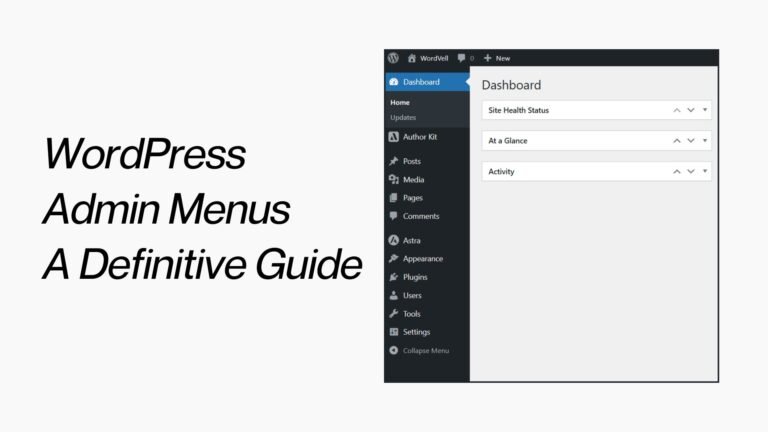
If you have already mastered the basics of WordPress hooks and are ready to level up your plugin development skills, check out our in-depth guide on WordPress Admin Menus.
And before you go, subscribe to our newsletter. You will get more step-by-step guides, strategies, developer resources, and exclusive WordPress insights delivered right to your inbox.