Discover the
Modern
WordPress with WordVell
WordPress 7.0 is coming with 10+ new features and major improvements. As the previous release was delayed, learn about the expected release date and what’s new for developers and users.
WordPress 7.0 focuses on improving how we create content, how we design layouts, and how we collaborate inside the platform.
With version 7.0, that direction becomes even more refined, especially with improvements that help both developers and regular users work in a smoother way.
In this article, we will cover 10 new features coming in WordPress 7.0 and, as the previous release date was delayed for some reason, we will also look at when you can expect it. Let’s talk about it first.
WordPress 7.0 was initially planned for April 9, 2026, but the release entered a short delay phase to allow for deeper architectural improvements and stability enhancements. Now, the team behind WordPress has officially confirmed a new release date: May 20, 2026.
This additional time has been used to refine performance, strengthen core stability, and ensure that the release delivers on its expected cornerstone features without compromise. Updated release parties and pre release cycles are now aligned with this timeline, along with extended testing efforts including compatibility checks across hosting environments.
In short, you can now confidently plan around a May 20 launch, making it easier to schedule upgrades, testing cycles, and support preparation for WordPress 7.0.
This waiting period is important if you manage multiple WordPress websites or client projects. It is the right time to start checking compatibility and preparing for updates instead of waiting for the final rollout.
Early preparation helps reduce issues once the update becomes widely available.
One of the key changes affecting this release is PHP version support. WordPress 7.0 removes support for PHP 7.2 and PHP 7.3. Websites still running on these versions will not receive the automatic update to WordPress 7.0 and will remain on the WordPress 6.9 branch. While that branch may still receive limited security fixes, it is no longer the main development path, so keeping systems updated becomes important.
The key point for you is that even though global usage of these older PHP versions is now below 4 percent, many websites still depend on them, especially older setups and long running projects. These sites need attention before the update arrives.
If a website is unable to upgrade due to an outdated PHP version, it can lead to unexpected support issues and confusion for site owners. That is why it is important that you do some early preparation for the release.
WordPress 7.0 is moving toward a more connected editing and management experience. In this new release you will see a collaborative content creation, design, improved workflow and more AI native feel.
If you are managing content or running your own website, you will notice that the editing experience feels more continuous and less fragmented. If you are a developer, you will see improvements in how APIs and block structures are organized, making customization more straightforward.
The overall direction is toward a more collaborative and efficient WordPress experience that supports modern workflows where multiple users can work together and content updates happen in real time.
We are focusing on 10 new features which we found quite impressive and have personally tested.
Let us move into the first major feature and understand how it improves the experience.
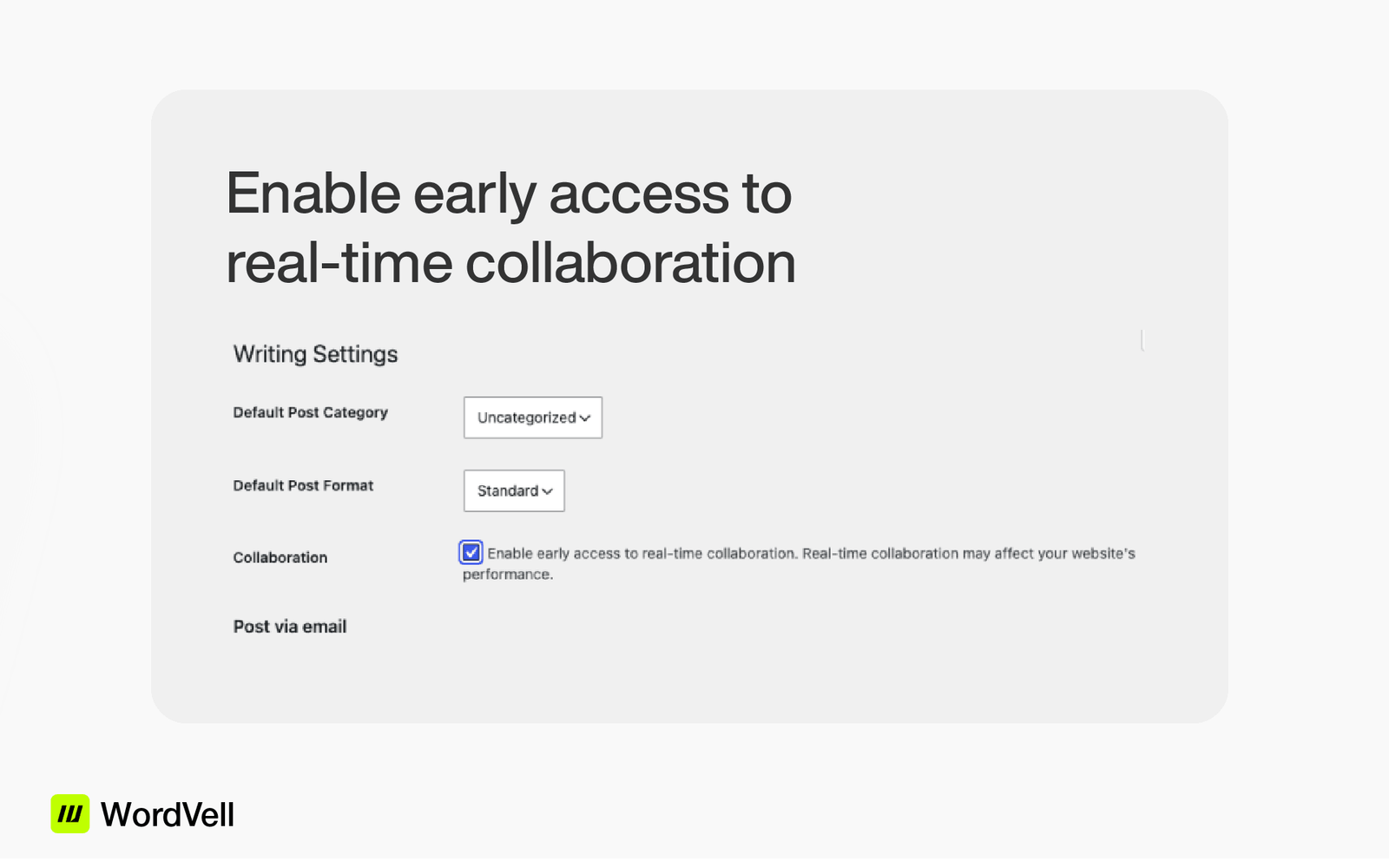
One of the most noticeable updates in WordPress 7.0 is the introduction of real time collaboration inside the block editor. This is something many teams have been waiting for because it changes how content workflows actually happen.
You and your team can now work on the same post at the same time without overwriting each other’s changes. Everything updates in real time, which makes coordination much easier, especially if you are managing a content team or working with multiple writers.
This update reduces confusion during publishing cycles and removes the need for constant back and forth communication when editing the same content.
Many solo WordPress developers and agency owners may not be big fans of this feature, as it can feel like something built mainly for larger teams. However, it also opens the door for AI driven collaboration, so it is worth being prepared for what is coming in future releases.
You can turn on this feature by going to Settings > Writing. Then simply check the option that says Enable early access to real time collaboration under the Collaboration section.
Another improvement that stands out in WordPress 7.0 is the way revisions are handled. Earlier, revisions were mostly text based, which made it slightly difficult to understand layout changes in complex pages.
Now, when you look at revisions, you can actually see how blocks and layouts have changed over time. This is especially useful when you are working with landing pages or structured layouts that include multiple design elements.
When you view the revision screen, you can clearly identify how a section looked before and how it looks after changes. This gives you more confidence when rolling back edits because you are not guessing anymore.
For you as a website developer, this makes experimentation safer. You can try different layouts and always return to a previous version without worrying about losing design structure.
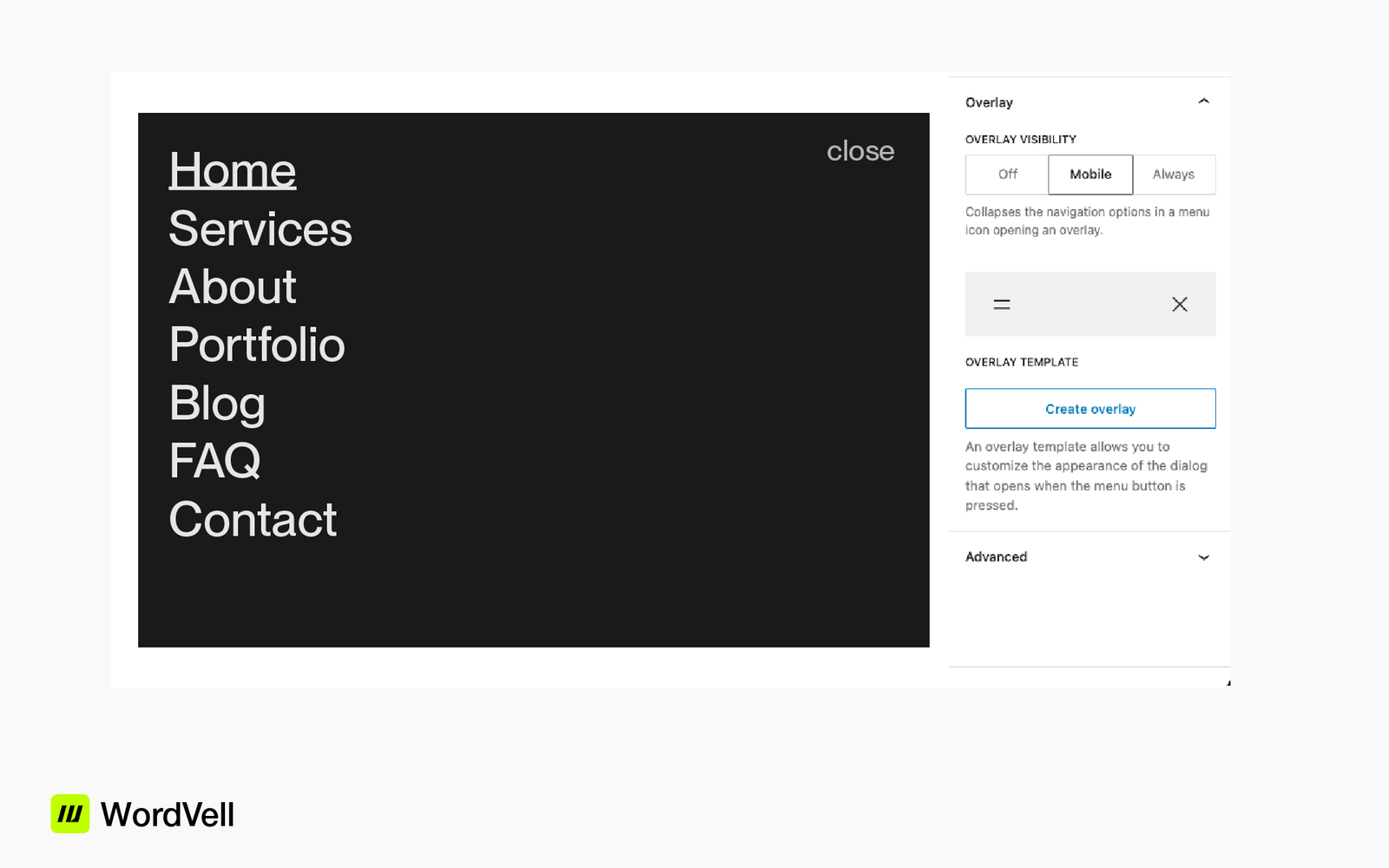
Customizing mobile menus through navigation overlays is now possible in WordPress 7.0. Previously, the mobile menu overlay in the Navigation block was fixed and offered very limited customization.
With the introduction of customizable navigation overlays, you can now design full screen mobile menus directly in the Site Editor using blocks. A dedicated Create overlay option in the Navigation block sidebar helps you get started with pre built patterns, making the setup easier and more guided.
WordPress 7.0 also includes several built in overlay patterns such as centered navigation, accent backgrounds, and black backgrounds, allowing you to quickly create different styles of mobile menus.
You now have full control over layout, content, and styling without relying on plugins or custom code. This makes mobile navigation more flexible and fully native to WordPress.
WordPress 7.0 improves how blocks work together to build more flexible layouts inside the editor. While it does not rely on completely new standalone blocks, it enhances existing ones and introduces better design capabilities.
For example, the Navigation block now supports full screen overlay menus where you can include links, buttons, and even search elements.
The Query Loop block continues to help build dynamic post layouts without extra plugins, while Template Parts make it easier to manage reusable sections like headers and footers.
These improvements reduce dependency on external tools and allow more complete layouts to be built directly inside the editor
WordPress 7.0 also improves how you control individual blocks. One important update is the ability to apply custom styling directly inside blocks. This means you do not always need to jump into theme files or global styles for small changes.
For you, this makes editing faster because you can adjust spacing, colors, and layout decisions right where you are working.
Responsive visibility is another improvement that helps you decide when and where a block should appear. You can control how content behaves on different devices without needing additional tools.
When you check these settings inside the editor, you will see how each block can behave differently depending on screen size.
This level of control helps you build more responsive layouts without extra complexity.
If you have ever felt stuck trying to find simple block settings in the WordPress editor, you are not alone, because things used to feel scattered and hard to follow, which slowed you down and made even small edits frustrating,
but now WordPress is fixing this by organizing all block controls into four clear sections in the sidebar of the block editor.
There are four groups which are as follows:
1. Content (text, images, captions),
2. List (reordering and nesting for blocks like Lists and Social Icons),
3. Settings (block-specific options), and
4. Styles (typography, colors, spacing).
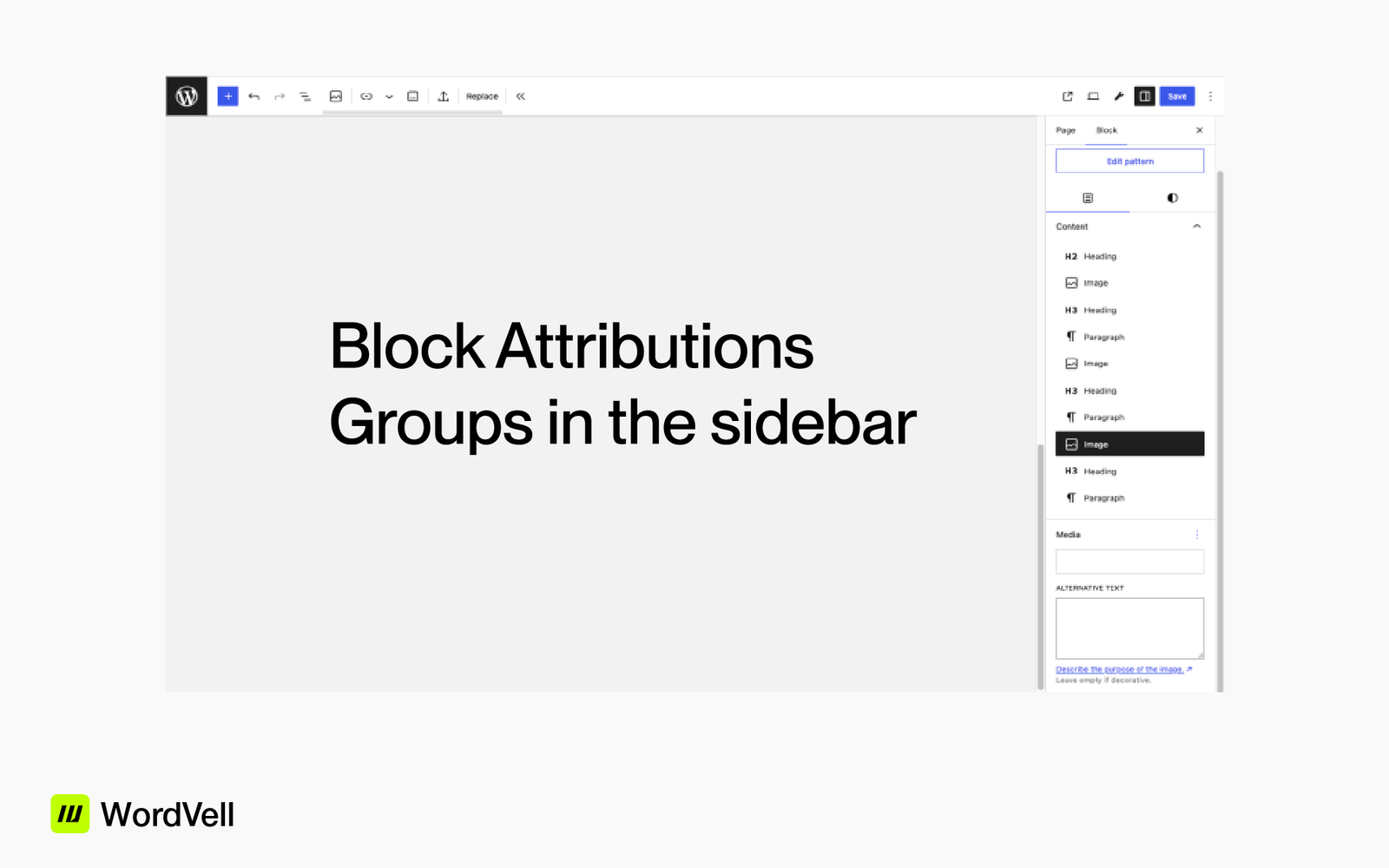
So now, instead of searching everywhere, you will always know where to go. For example, image alt text now sits in the Content tab, where it actually makes sense, and while it may feel a bit different at first, this new structure makes the editor much easier to use, faster to work with, and far more beginner-friendly once you get used to it.
WordPress 7.0 improves how you work with images inside the block editor. You can now crop, rotate, and adjust images with more precision without relying on external editing tools. The focal point control also helps you highlight the most important part of an image, especially when working with different layouts and screen sizes.
When you edit an image in the editor now, the controls feel more organized and easier to use compared to earlier versions. You can quickly adjust how an image fits within a block and fine tune its position without leaving the editor.
Typography also gets useful updates in this version. You get better control over spacing and alignment, which helps you build cleaner and more structured layouts directly inside WordPress without depending heavily on theme level styling.
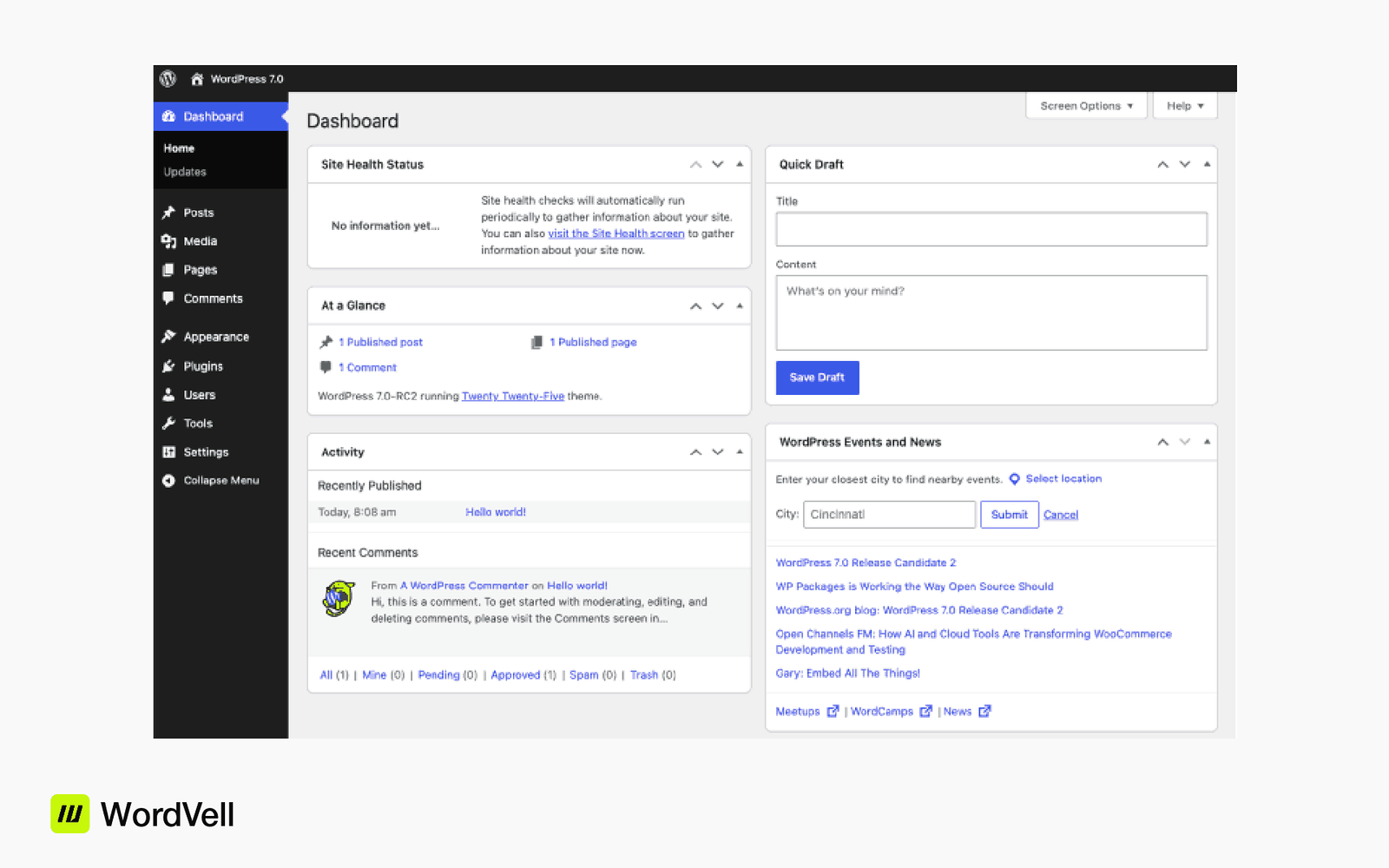
The WordPress dashboard in version 7.0 receives a visual refresh that makes it feel more aligned with the block editor experience. If you spend a lot of time inside the admin area, you will immediately notice the smoother layout and cleaner interface.
The command palette is one of the most useful additions here. Instead of clicking through multiple menus, you can simply search and jump directly to what you need.
This saves time and makes navigation more efficient, especially for power users who manage multiple sites.
Fonts management also becomes easier because there is now a dedicated area where you can handle typography settings without digging through theme options.
When you open the dashboard and use this feature, as shown in the image below, you will see how quickly you can access different sections.
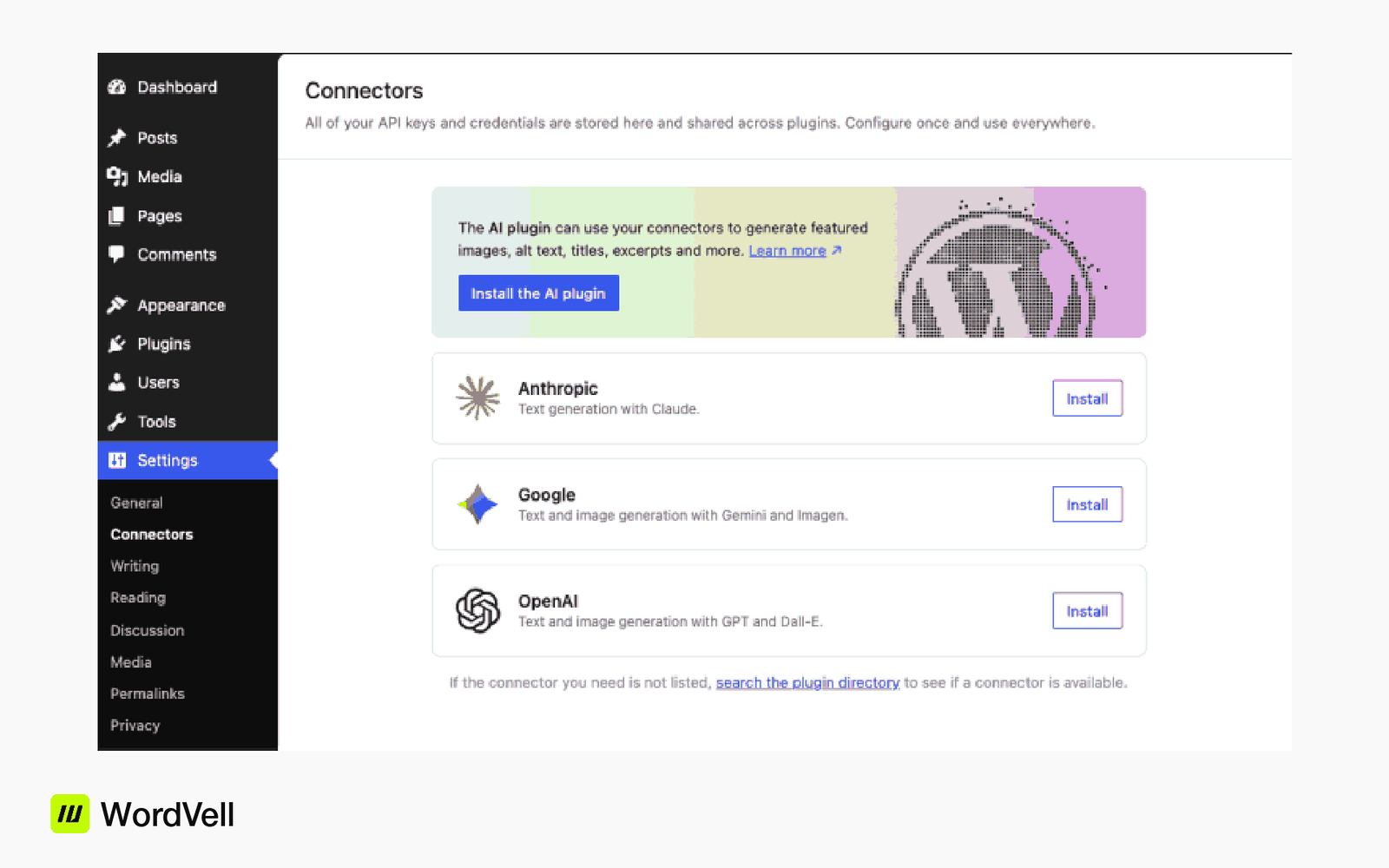
WordPress 7.0 introduces a built in AI Client that provides a single provider agnostic entry point through wp_ai_client_prompt(). Developers can describe what they need, and WordPress handles routing the request to the configured AI provider inside Settings Connectors.
This supports different output types such as text, image, speech, and video depending on enabled features.
Supported integrations include providers like OpenAI, Anthropic, and Google.
The system removes the need for manual credential handling and avoids vendor lock in. It also checks feature availability before showing any interface, making integrations more reliable and easier to manage.
WordPress 7.0 also introduces a simpler way to register basic blocks using only PHP. This approach is designed for blocks that rely on server side rendering and do not require heavy interactivity or complex frontend logic.
Developers can use register_block_type with the new autoRegister flag and must include a render_callback function. In some cases, WordPress can also auto generate basic input controls for block attributes, helping speed up development and reduce setup effort.
There are many other features and improvements that we have not covered in this blog, but you can explore them here. When you bring all of these updates together, WordPress 7.0 starts to feel more connected and practical. If you are a content creator, your writing and editing flow becomes smoother.
There is also a major update in the DataViews API that improves layouts, validation rules, grouping options, and picker components inside plugins using wordpress/dataviews.
If you develop plugins you can find full technical details in the Dev Notes for DataViews and DataForm in WordPress 7.0.
Pattern Overrides also see a big improvement in this release. Earlier, since WordPress 6.5, synced patterns allowed consistent layouts with limited content changes, but only for a few core blocks like Heading, Paragraph, Button, and Image.
That limitation is now removed. Any block attribute that supports Block Bindings now works with Pattern Overrides by default. Developers can also enable support using the server side block_bindings_supported_attributes filter.
This expands synced patterns to custom blocks and makes design systems much more flexible.
With these changes, you spend less time fixing layouts and more time focusing on actual content or functionality.
WordPress 7.0 has so many great improvements and features. One of our favorite is customizing mobile menus with the block editor only, which was a longtime wish for many developers relying on the Gutenberg editor instead of page builders.
From real-time collaboration to improved editing tools and more organized developer options, everything is moving toward a more efficient workflow. WordPress is improving, and we all must be hopeful for a more successful future of WordPress.
One important note is that all the features mentioned above are actively being worked on, but it does not guarantee that every single one will be included in the final release of WordPress 7.0.
Before signing off, don’t forget to subscribe to our weekly newsletter for modern WordPress developers, covering updates and insights.
Here we have answered some of the most common questions WordPress developers and users are asking about WordPress 7.0
WordPress 7.0 was initially planned for around April 9, 2026, but the rollout entered a short delay phase to allow for deeper architectural improvements and stability enhancements. The team behind WordPress has now confirmed a revised schedule, with the official release set for May 20, 2026.
Real time collaboration lets multiple users work on the same post or page at the same time. You can see changes instantly, which helps teams avoid overwriting each other’s work and improves workflow speed.
Yes, WordPress 7.0 introduces a built in AI connection layer that allows developers and site owners to connect AI services for tasks like writing, image creation, and other content assistance through supported providers.
The block editor now has many new improvements, including better organization of settings into clearly structured sections in the sidebar. This makes it easier to find controls for content, design, layout, and advanced settings without confusion.
DataViews and Data Forms make it easier to see, organize, and edit your website content in a clean and structured way inside WordPress.
You can quickly filter, sort, and update information without digging through multiple pages.
For example, if you run a property site, you can view all listings in one place and edit details like price or location in seconds.
Yes, WordPress 7.0 introduces new blocks such as navigation and breadcrumb style elements that help improve site structure and user navigation without needing extra plugins.
Developers, content creators, and agencies will benefit the most. It improves teamwork, speeds up editing, and reduces dependency on third party tools, making workflows smoother overall.