Discover the
Modern
WordPress with WordVell
Managing a WordPress or WooCommerce site often feels like a massive, time-consuming process due to thousands of manual clicks.
What if you can automate these in your WordPress site by just talking to AI?
That’s exactly what MCP (Model Context Protocol) makes possible.
Instead of switching between dashboards and plugins, you can simply tell AI what to do.
“Publish this post.”
“Increase the products’ prices by 10%.”
“Generate and upload content.”
And it gets done in seconds.

Beyond using AI only for writing text, MCP connects models like Claude and ChatGPT directly to WordPress and WooCommerce, allowing them to perform real tasks such as Creating & publishing posts, managing products, and automating site operations.
Many site owners still waste hours on repetitive admin work because they don’t know this technology exists.
You’ll explore 14 practical AI Use Cases of MCP for WordPress and WooCommerce that show how to automate content, streamline admin work, improve store management, and boost sales.
If you want to save time, reduce manual work, and run your site more efficiently, then these use cases are for you.
Till the launch of MCP, ChatGPT and other AI models’ functionalities are only restricted to answering questions, but never touching the actual work.
But MCP introduces a standardized server layer that exposes WordPress and WooCommerce actions as discoverable tools with defined input schemas and secure access rules.
In a typical WordPress editorial workflow, publishing a post involves multiple steps such as creating a draft, assigning categories and tags, generating featured images, setting SEO metadata, scheduling, and passing the post through an approval or review process.
With MCP, an AI client can issue a structured request such as “create a draft post with this content, assign category X, set featured image Y, and schedule publication for 10:00 AM,” which the MCP server translates into authenticated WordPress API calls and executes only within the permissions defined for that AI session.
The key difference is that AI now takes actions through a permission-aware and secure standard (MCP)
Technically, MCP acts as a secure translator between AI agents like Claude, ChatGPT, and your WordPress/WooCommerce APIs or other tools, and allows AI to take real action as per your instructions.

Instead of giving advice, the AI now performs real actions safely with the help of MCP, with permissions you control.
Explore our complete guide on “What is Model Context Protocol (MCP)?” here.

MCP is already being used in real WordPress tooling.
For example, InstaWP provides an open-source MCP server that allows executing common WordPress operations through AI models, and Elementor uses the MCP specification in its new AI assistant “Angie” to apply layout and content changes directly inside the editor.
Likewise, OttoKit and n8n also build their MCP servers for WordPress and WooCommerce.
You can also check out our step-by-step guides to connect AI models with WordPress using MCP:
So, you have understood what MCP is and what makes MCP different. Now, let’s explore the real reason you’re here: the practical AI use cases by MCP that can automate your website workflow.
MCP enables WordPress actions, such as creating posts, assigning categories, uploading media, and updating site data, to be executed via natural-language AI Chat rather than manual dashboard interaction.
This way, you can upgrade the manual WordPress workflow into an automated one.
So, let’s explore the automation use-cases for your WordPress site.
In WordPress, you need a lengthy and time-consuming operational workflow to write and publish every post, such as opening the wp-admin, writing content, editing drafts, optimizing for SEO, adding media, and scheduling.
So, AI and MCP allow you to automate this writing and publishing workflow.
With MCP, the post creation, metadata assignment, Search Engine optimization, and scheduling are executed directly through a single natural-language command in AI without opening the WordPress dashboard.
For example:
“Create a draft post titled ‘Best Places for Hiking in US’.”
Behind the scenes, AI will create the post, and MCP will allow it to fill the title and body, assign categories, and set a publish time in WordPress through standardized calls.
Tools like SEOwriting.ai go a step further. They auto-optimize articles with keywords, meta descriptions, and schema using their MCP server.
And platforms like FlowHunt also indicate the use case of automating entire content pipelines from topic discovery to scheduled posts, all through natural language commands.
In practice, MCP mainly reduces the hours spent on manual writing, optimizing, and formatting, which helps writers and editors spend more time reviewing and improving content.
Pro Tip: Start in draft mode. Review the AI’s work. Then graduate to safe auto-publishing once your workflow feels solid.
On-page SEO optimization may sound simple, but in reality, it quickly becomes a time-consuming checklist. Even drafting an engaging meta title and description requires a significant amount of time and effort.
AI Models connected with WordPress through MCP unlock automated on-page SEO optimization.
With this, you can ask AI to analyze content, SEO metrics, performance, and accessibility signals live from your site and suggest or apply improvements directly.
How It Works:
With MCP and AI, on-page optimization becomes an automated workflow and allows you to save much of your time and effort.
You can also check out our guide on automating the optimization of 12 on-page SEO components with WordPress plugins & AI tools in WordPress.
Pro Tip: Always review proposed changes before applying to live pages.
Before MCP, if you wanted to get AI assistance in development, you had to follow the same workflow as followed by most WordPress developers, such as copy code into a chat, explain the requirements or feature to develop, add constraints, and still get suggestions that ignore requirements or needed editing to be integrated in to project.
The main failure or problem is not that AI is unable to generate proper code, but it’s missing the project context.
MCP fixes that by letting AI tools work inside your real project directory, IDEs, and code editors to understand the proper context and give you suggestions as per your requirements.
With MCP-enabled developer tools such as Claude Code (by Anthropic) and Gemini CLI (by Google), you can allow AI to securely read your plugin or theme files, inspect related classes, files, hooks, and templates, and reason across the same codebase you are editing.
That means the assistant no longer relies on pasted snippets. It can trace where a shortcode is registered, how filters modify its output, and which files affect its behavior.
Example
In one of our WordPress plugins, we asked Gemini CLI:
“Create a fix plan for the related-posts shortcode issue when a custom post ID parameter is passed.”

The tool scanned the shortcode handler file, followed the related functions and files, identified the issues, and returned a step-by-step fix plan without copying any files into chat.
This is a practical shift from prompt-driven development to context-driven development.
MCP simply exposes your local project structure and tools in a secure way so the model can reason over real WordPress code instead of guesses.
If you want to apply this in your own workflow, see our guide on integrating Gemini CLI into a WordPress development environment.
Agencies managing multiple WordPress sites typically perform recurring tasks such as plugin updates, comment moderation, media uploads, and editing content separately on each site, which creates repeated login and dashboard navigation overhead.
It’s the silent productivity killer inside every agency due to the repetition of the same maintenance actions.
MCP reduces this chaos by allowing the same administrative operation to be executed across multiple WordPress sites through a single authenticated AI call.
By exposing core WordPress tools as callable actions through MCP, AI can now run your admin tasks through simple natural-language commands.
Try commands like:
No hunting through settings. No clicking through submenus. Just delegation.
The InstaWP team describes MCP as a “translator” that converts natural language into secure API actions, which is a perfect summary of how it works behind the scenes.
This setup is a dream for agencies handling many client websites. Instead of burning hours on repetitive admin and maintenance work, your AI tool, with the help of MCP, can clear the backlog while you focus on strategy, design, and deliverables.
Beginner content writers make content planning decisions without regularly reviewing Search Console queries, page-level performance, or competitor SERP coverage, which leads to missed keyword clusters and underserved topics’ content.
With MCP, an AI tool can retrieve analytics and search performance data through connected tools and use that data as structured input for making a better content strategy.
By pulling in analytics, performance data, and audience interests, the AI can
You get strategy and execution in one go, backed by real data.
With the help of AI and MCP, your entire content strategy cycle becomes proactive instead of reactive.
This approach helps you to make decisions based on data-driven audits that continuously help you to understand your current position and grab new topic opportunities.
Pro Tip: Run monthly “AI audit sessions” so you can review and improve the site’s content strategy.
Without MCP, chatbots answer only from a static FAQ or a fixed knowledge file.
They cannot read live orders or site content, so questions like delivery status or refunds usually require a human handoff.
With MCP connected, the chatbot can fetch live order data through the WooCommerce database, read published pages or products in WordPress, and then make personlized response as per the user query instead of generating text-only replies.
This makes a chatbot a true assistant by responding with live site data
Examples speak louder:
To implement this, you need a chatbot that can call your site’s authenticated WordPress or WooCommerce API endpoints using MCP and pass personlized response to the user securely.
In practice, this setup of combining AI Chatbots with MCP makes these tools so powerful that they become personalized problem-solvers for most user problems.
Website owners want multilingual content and accessible pages, but the work always gets pushed down to the backlog because they have to work manually to translate posts, write alt-text, and caption videos for multiple languages.
These tasks can take hours per page or video, and repeating them across languages multiplies the workload.
With MCP, AI can automate translation, alt-text, and caption creation, reducing manual effort for each page.
Using a natural-language command, the AI retrieves page content, translates it, generates alt-text for images, and adds captions to videos in multiple languages you want.
It extends your existing content tools and turns them into global publishing systems.
For example:
A command like “Translate the latest blog post into Spanish and add alt-text to all images.”
The AI will generate the translation and images’ alt-text in one pass.
This approach allows your site to reach global audiences quickly so that you can scale your business in every region of the world.
MCP allows AI to access live WooCommerce product data such as prices, categories, tags, orders, and inventory, so responses reflect the real store data, not cached or generic suggestions.
This turns a static store into an AI-assisted store that responds to natural-language queries.
Many shoppers struggle with rigid filters and dropdowns, often abandoning searches when they cannot easily refine results.
WooCommerce’s standard product search limits users to keywords, categories, and attribute filters, requiring multiple clicks to find exact items.
With MCP, the search interprets customer queries and directly maps them to a product that matches their requirements.
For example, a customer passes a query like this: “Show me jackets for hiking under $100.”
Now, the AI will not guess.
It will query live WooCommerce product data prices, tags, attributes, categories, and returns exact matches that meet all criteria.
Stores using AI-assisted search can reduce bounce rates, speed up product discovery, and improve conversion rates when customers find products that match their intent.
Products with low category visibility but well-defined attributes and tags can still appear when users search by style, color, or use-case, even if those products are not ranked highly in category or keyword listings.
By combining natural-language queries with live data, product discovery becomes faster, more accurate, and user-friendly.
Many e-commerce sites sell products that can be personalized by each customer, such as custom apparel, mugs, and cushions with custom designs and prints.
With MCP and AI, you can allow customers to create custom product variants instantly based on natural-language input, simulating a personalized in-store experience.
Here, AI with MCP serves for you as a skilled salesperson who sells the products by tailoring to the customer’s needs.
For example, a customer query like this:
“I want a coffee mug, 12oz, navy blue, with my initials engraved.”
Instead of forcing them through confusing dropdowns, the AI:
Behind the scenes, MCP taps into WooCommerce’s data to adjust attributes on the fly and give personalized products without error.
This level of personalization also boosts upselling and cross-selling, because the AI can suggest matching items or add-ons based on the customer’s request.
Fewer steps to purchase and accurate customization increase order value and create a more intuitive shopping experience.
Most customer dashboards feel like old filing cabinets with static, cluttered, and zero intelligence baked in.
Most WooCommerce account dashboards mainly show order lists, addresses, and downloads, with limited support for personalized features.
With MCP, the account page can act as an interactive personal assistant that answers customer questions and performs authorized actions for them.
Through MCP, the assistant can query WooCommerce orders, customer profiles, and product data, generate simple usage summaries, and recommend products to your customers using purchase history and browsing patterns.
For example, a customer can request:
MCP maps each user request to the relevant WooCommerce data source, such as orders or products, and returns results through controlled and secure requests.
This reduces repetitive account-related support queries, such as order status and purchase history, by enabling customers to resolve them directly from the dashboard.
Most WooCommerce product pages focus on descriptions and technical attributes, with limited support for interactive and personalized product guidance.
For example, a shopper can ask:
The AI assistant retrieves answers by querying product attributes, tags, custom fields, and linked blog posts using the MCP server.
This removes the need for customers to manually search product tabs or browse related pages for the same information.
This interaction model is especially useful for products where background, origin, and styling context influence purchasing decisions, for instance, for brands selling experiences like art, décor, handmade goods, and specialty items.
We’ve seen customers spend longer on pages, ask deeper questions, and buy with more confidence because the AI gives personalized and context-specific answers that the product page never had space for.
It’s similar to your store getting a dedicated sales representative on every page.
Imagine you did a checkout through chatting with a helpful store assistant rather than filling out a rigid form.
Because guided checkout with the help of AI and MCP lets shoppers select add-ons and delivery options, and other multiple factors through short chat prompts instead of interacting with standard WooCommerce form fields.
That’s the power of MCP-driven AI-guided checkout.
Instead of forcing shoppers through fields, your AI simply asks:
Behind the scenes, through MCP calls, the AI assistant updates cart item meta, applies fees or add-on products, triggers total recalculation, and validates the checkout session before continuing the conversation.
It will result in higher order value, fewer abandoned carts, and a checkout experience that feels effortless.
This approach replaces rigid checkout with personalized and flexible checkout, which results in higher order value and fewer abandoned carts.
But this approach requires reliable cart synchronization and fallback to the normal checkout if any step fails.
Your store becomes instantly more intuitive when customers can search your catalog using images.
With MCP-enabled visual search, the uploaded image or text in the image is converted into structured signals and matched against existing product attributes, tags, and media metadata to return visually similar products.
But the magic doesn’t stop there. While recommending items, the AI also checks real-time inventory and automatically highlights “Almost Sold Out” or “Back Soon” alerts.
These dynamic signals create urgency without feeling pushy.
It will result in faster product discovery, higher engagement, and a smarter shopping experience that feels tailor-made for each visitor.
WooCommerce is experimenting with agent-driven purchasing flows where external AI systems can interact directly with store catalogs and make a checkout.
Agentic commerce refers to AI agents that can search products, build carts, and initiate checkout through supported store APIs without a human browsing session.
A typical flow will be that the agent reads a structured product feed using MCP, compares options across multiple stores, checks availability, verifies shipping timelines, and completes a purchase with a little human intervention.
OpenAI Product Feed Spec and Woo & Stripe Agentic Commerce Protocol are developing this capability with the integration of AI and the e-commerce ecosystem.
It will mainly prepare your store by exposing catalog, inventory, and order actions through machine-accessible endpoints, while payment and identity approval remain controlled by the merchant.
AI-powered WordPress isn’t theoretical anymore because many MCP servers now exist, which allow AI models to connect with WordPress sites and execute the tasks, and also help you to implement these use-cases in your workflow as well.
You can start with n8n AI agents and their WordPress MCP Server. You can plug in the ready-made AI and MCP workflows or build your own workflow to trigger actions in WordPress with MCP.
If you want to see the full setup, check out our guide on automating WordPress with n8n. It shows exactly how to connect AI models to your site with ease.
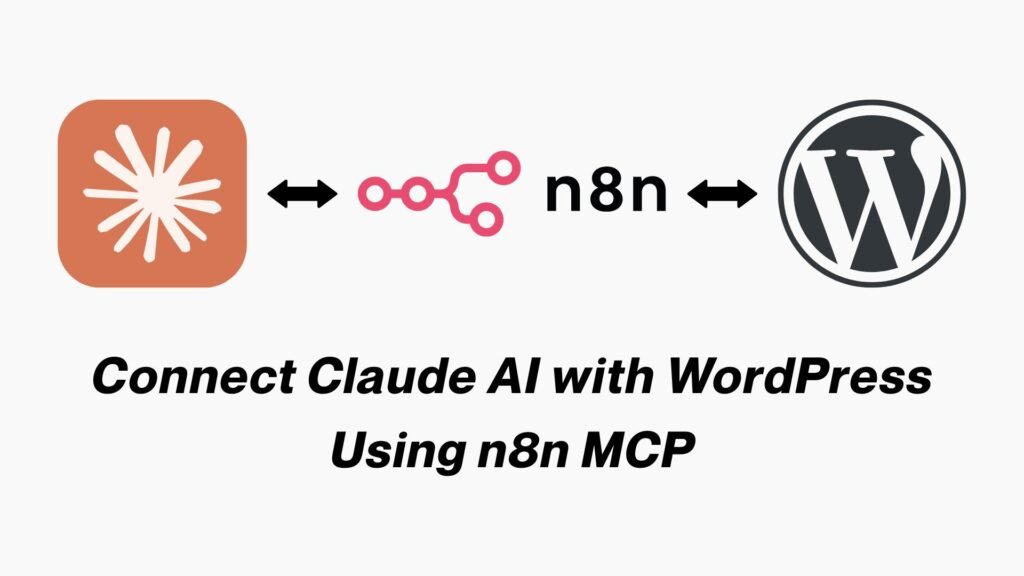
Another prominent solution you can use is OttoKit MCP Server for WordPress. It is a powerful automation layer for WordPress. It lets you manage posts, media, users, plugins, settings, and WooCommerce data entirely through AI models like Claude.
If you’re serious about automation with OttoKit, this is one of the cleanest guides available for you.

WordPress is also building its own MCP Adapter with the Abilities API, and it’s evolving quickly.
This direction of the core platform towards native, standardized AI automation with full permission control highlights the importance of AI integration in workflows using MCP Servers.
The WooCommerce MCP Integration is also revolutionizing the e-commerce industry. It exposes products, orders, stock, and checkout flows so AI can search, recommend, and even update carts.
Then there’s InstaWP’s MCP Server, which you can use to execute real commands like “publish this post,” “list comments,” “install a plugin,” all through AI.
For content writing, you can use the FlowHunt MCP Server to automate entire content writing pipelines end-to-end.
Elementor also introduced its AI-assistant Angie, which is based on the MCP server, and helps you to design and edit sites with natural language conversation.
Even Google Cloud’s 1,001 AI Use Cases validates the spread and implementation of personalization, workflow automation, and scalable AI-first operations across every industry.
These solutions and implementations show that MCP-based automation is already usable and implemented in WordPress and many other industries.
MCP allows AI agents to execute real WordPress and WooCommerce actions such as creating posts, managing media, querying orders, and updating site data.
You can perform the same operations and implement the discussed use-cases with your WordPress site by connecting it with AI models using MCP servers.
It will help you to:
You can explore our guides on connecting AI with WordPress using OttoKit or n8n MCP servers.
And this is only the beginning. The future is Agentic commerce, which is coming fast. AI systems that browse, compare, and buy are evolving day by day.
Finally, WordPress devs, do you want to stay up-to-date with our newsletter for new AI tools and their use cases for WordPress?
Then join us by subscribing here.